
How to Turn a Selfie into Stunning AI Digital Art
By Maria · 2026-07-11
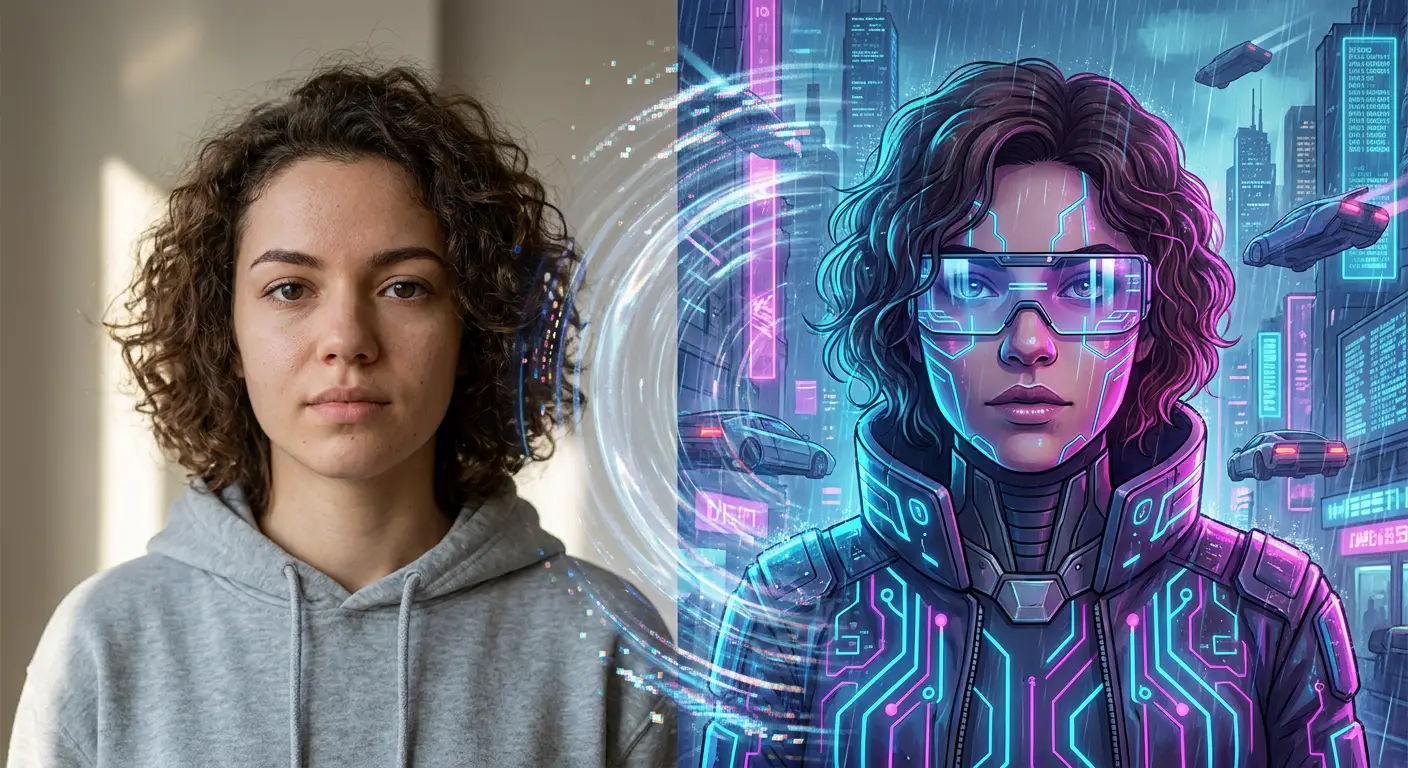
Turn any selfie into stunning AI artwork in minutes. Learn how to choose the best photo, explore popular AI art styles, and create high-quality digital portraits with ease.
Millions of people are transforming ordinary photos into unique digital art using AI. You don’t need design skills to turn your selfies into realistic paintings, cartoons, anime portraits, or fantasy characters—the right AI portrait generator does it all for you.
The technology behind these generators utilizes deep learning models to analyze facial geometry and lighting, remapping the visual data into the chosen artistic style. By processing complex neural networks, these tools can synthesize high-fidelity images in seconds, allowing for rapid experimentation without the need for manual editing or complex software. In this guide, you’ll learn how to turn a selfie into AI art, choose the right photo, explore different AI photo styles, and create better-looking digital portraits. Before you begin, explore the Betatum AI Photo Styles guide to discover the different looks you can create.
summery
ransforming a selfie into AI art is simple: upload a clear, high-resolution photo, choose a style—such as anime, oil painting, or cyberpunk—and experiment with different settings to improve the result. Always take a moment to review the platform’s privacy and licensing terms, especially if you intend to use your artwork for commercial projects.
What Is AI Digital Art from a Selfie?
AI-generated art is like having a digital artist recreate your photos. Instead of just adding a filter, the AI actually studies your photo and redraws it in a new style. When you turn a selfie into art, the AI keeps your unique facial features recognizable while changing the colors, textures, and background. To get the best result, use a clear, well-lit photo where your face is fully visible—avoid blocking it with sunglasses, hair, or shadows.
What Really Happens After You Upload Your Selfie to an AI Art Generator?
When you hit that “generate” button, the process happening behind the scenes is quite fascinating. While it often takes only a few seconds, it can sometimes take longer depending on the complexity of the art and the specific tool you are using. Here is a breakdown of how the AI creates your digital portrait.
1. How It “Sees” Your Face
Before the AI can create anything, it needs to analyze your input. The AI usually focuses on the visible features in your photo rather than identifying you as a person.
Different generators use different methods to do this. Some systems may identify key facial landmarks—like the position of your eyes, nose, or mouth—to understand the proportions of your face. By analyzing these visible details, the AI gets the necessary information to interpret your photo and recreate it in the desired style.
2. How It Picks the “Look”
Once the AI has analyzed your selfie, it applies your chosen artistic style. Different AI tools approach this in unique ways:
Transforming vs. Generating: Some tools work by transforming your original image, while others use your photo as a reference to generate a brand-new image from scratch.
Applying Style: Some use “style transfer,” which applies artistic qualities like brushstrokes or textures to your photo. Others use “prompt-based” generation, where the AI follows instructions (like “a colorful cartoon”) to build the scene.
Because every AI model is trained on different collections of images and uses different technical methods to create results, one model might give you a realistic portrait, while another creates a more imaginative version.
3. How It Keeps You Recognizable
This is the most complex part of the process: changing your visual style while keeping you recognizable.
The AI attempts to maintain your recognizable facial features throughout the process. It uses the facial details from your original photo to keep your smile, hairstyle, and facial structure as recognizable as possible.
While the AI tries to preserve these features, it is important to remember that because it is creating a new artistic piece, some small details may shift or change. At the same time, the AI will often adjust elements like clothing, lighting, colors, and backgrounds to fit the new artistic theme.
Pro-tip: Because the AI relies on the quality of your input, providing a clear, well-lit photo helps the system gather the right facial details for the most accurate and attractive result!
How to Prepare the Perfect Selfie Before You Upload It
Using a high-quality source photo is one of the best ways to improve an AI-generated portrait. A clear, detailed selfie helps the AI understand your facial features and create artwork that is attractive, accurate, and recognizable.Tips for the Perfect Selfie:
Use Good Lighting
Aim for soft, even lighting so your facial features are easy to see. Natural light from a window often works well. Try to avoid heavy shadows, very bright spots, or having a strong light source directly behind you, as this can make facial details harder for the AI to interpret.
Choose the Right Camera Angle
Hold your camera at or slightly above eye level, facing you directly or at a gentle angle. Extreme angles can change how your face looks in the photo, which might make it harder for the AI to produce an accurate portrait.
Keep Your Expression Natural
A relaxed face or a natural smile usually works best. The AI may use details around your eyes and mouth to recreate your look, so make sure these areas are clearly visible. Unless you are going for a very dramatic style, it is best to avoid exaggerated facial expressions.
Pick a Simple Background
Choose a clean, uncluttered background that doesn't distract from your face. A plain wall or a tidy room helps the AI clearly separate you from your surroundings. This is especially helpful if you want the AI to replace your background with something new.
Upload a High-Resolution Photo
Use the sharpest, clearest image you have. A high-quality photo gives the AI more information to work with when creating your portrait. Try to avoid blurry screenshots, small images, or photos that have been compressed many times (like those downloaded from social media).
Common Mistakes to Avoid
Certain issues in your photo may cause problems with the quality of your final AI portrait:
Blurry Images: If the photo is out of focus or has motion blur, the AI may struggle to interpret the fine details of your face.
Poor Lighting: Dark shadows or overly bright spots can make it difficult for the AI to recognize your features.
Heavy Filters: Using "beauty filters" can change your natural face shape, skin texture, or eye size, which can confuse the AI.
Low Resolution or Heavy Compression: Small or highly compressed photos can lead to results that look soft, pixelated, or inaccurate.
Cropped Faces: Make sure your entire head—including your forehead, chin, and hair—is in the frame. If you cut off parts of your face, the AI has less information to use to create the portrait.
Busy Backgrounds: Crowded scenes or many objects behind you can make it harder for the AI to separate you from your surroundings and may appear as unwanted details in your final artwork.
Taking a few extra minutes to prepare your selfie can improve your chances of creating a clean, recognizable, and professional-looking AI portrait.
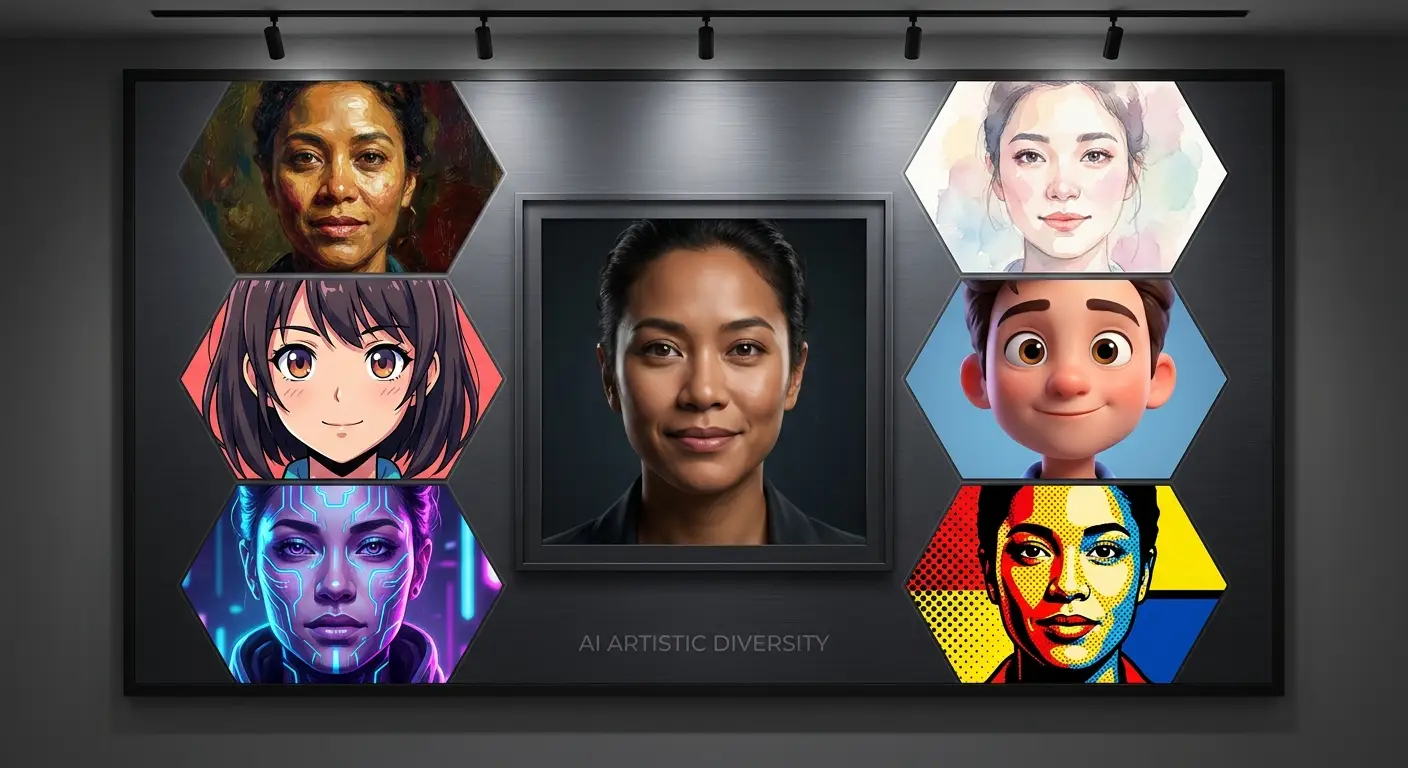
Explore the Most Popular AI Art Styles for Your Selfies
AI art generators offer many ways to transform a simple selfie into creative digital artwork. Some styles preserve realistic facial details, while others produce more playful or imaginative results. Here are several popular styles and the types of images they can create.
Realistic Digital Painting: This style turns your selfie into a polished digital portrait with smooth textures, detailed facial features, and carefully controlled lighting. It is ideal for profile pictures, personal branding, and anyone who wants an artistic image that still looks realistic.
Oil Painting: An oil-painting style uses rich colors, visible brushstrokes, and textured details to create a traditional, gallery-inspired appearance. It works well for elegant portraits, gifts, wall art, and classic-looking images.
Watercolor Illustration: Watercolor portraits feature soft colors, gentle edges, and a hand-painted appearance. This style is best suited to romantic portraits, invitations, personal artwork, and people who prefer a light, delicate look.
Anime Portrait: An anime portrait commonly uses expressive eyes, defined lines, smooth shading, and colorful details. It is a great choice for anime fans, gaming profiles, social media avatars, and imaginative character designs.
Cartoon Style: An AI cartoon from a selfie simplifies facial features and uses bold outlines, bright colors, and playful expressions. This style works well for fun profile pictures, stickers, social media posts, and casual personal projects.
3D Character: This style recreates you as a polished three-dimensional character with smooth textures, detailed lighting, and added depth. It is ideal for gaming avatars, modern profile images, animated-character concepts, and creative branding.
Cyberpunk Art: Cyberpunk art combines neon lighting, futuristic clothing, glowing city backgrounds, and advanced technology-inspired details. It is best for dramatic social media images, gaming profiles, science-fiction fans, and bold creative projects.
Pop Art: Pop art uses bright colors, strong contrast, bold outlines, and graphic patterns inspired by comic-book artwork. It is a good option for posters, social media content, personalized gifts, and anyone seeking an energetic result.
Pixel Art: Pixel art recreates your selfie using small, block-like pixels and a limited color palette. It is especially suitable for retro-gaming fans, digital avatars, game assets, and nostalgic profile pictures.
AI Selfie Art Style Comparison
Transforming your selfies into digital masterpieces depends heavily on choosing the right aesthetic for your vision. To help you select the perfect look, the following table compares various AI styles based on their ideal use cases, realism, and creative impact.
Style | Best For | Realism Level | Creative Feel |
|---|---|---|---|
Realistic digital painting | Profile pictures and personal branding | High | Polished and professional |
Oil painting | Wall art, gifts, and classic portraits | Medium–high | Traditional and elegant |
Watercolor illustration | Invitations and delicate portraits | Medium | Soft and artistic |
Anime portrait | Gaming profiles and anime avatars | Low–medium | Expressive and imaginative |
Cartoon style | Stickers and fun social posts | Low | Playful and colorful |
3D character | Gaming avatars and creative branding | Medium | Modern and animated |
Cyberpunk art | Sci-fi portraits and bold profiles | Low–medium | Futuristic and dramatic |
Pop art | Posters and social media content | Low | Bold and energetic |
Pixel art | Retro avatars and game-inspired artwork | Low | Nostalgic and playful |
Easy Ways to Give Your AI Portrait a Professional Finish
To ensure your AI-generated portraits look like high-end digital art rather than “uncanny” or low-quality renders, follow these essential optimization steps:
Preserve Natural Facial Proportions
Avoid settings that heavily distort facial geometry. Maintaining the original balance of eyes, nose, and mouth ensures the portrait remains recognizable and avoids the “uncanny valley” effect.
Avoid Overprocessed Effects
Limit the use of extreme filters or excessive smoothing. Overprocessing erases character and makes skin look like plastic; subtle adjustments yield a much more sophisticated and high-end result.
Enhance Fine Facial Details
Direct the AI to focus on micro-details such as iris texture, hair strands, and skin pores. These small elements are what separate a generic AI image from a professional-grade digital painting.
Upscale Before Downloading
Never use a low-resolution preview for final projects. Use an AI upscaler to increase the pixel density, which recovers lost sharpness and prepares the image for printing or large-scale digital use.
Export in High Resolution
Always choose the highest available export settings (such as PNG for lossless quality). This preserves the integrity of colors and fine lines, preventing compression artifacts in your final output.
How to Turn Your Selfie into AI Art in 5 Easy Steps
You don’t need to be a professional designer to create cool AI art. With just the right photo and a little bit of help from an AI generator, you can turn your selfie into something unique in just a few clicks.
1. Pick and Upload the Right Photo
Start by choosing and uploading a clear, well-lit selfie to your chosen AI portrait generator. Make sure your face is easy to see, and avoid photos in which sunglasses, hats, hair, or heavy shadows cover important facial features.
A quick note: Since you’re uploading a personal photo, take a quick look at the tool’s privacy policy so you know how your image is processed and stored.
2. Choose Your Style
Now for the fun part: pick how you want your art to look! Do you want to look like a character from an anime? A classic painting? A fun cartoon? Browse the options and pick a style that fits the “vibe” you’re going for.
3. Tweak the Settings
Some tools let you add extra details. If you add a description (a prompt), keep it clear and specific. Simple instructions such as “a digital portrait with warm lighting and a dreamy forest background” can help the AI better understand the result you want.
4. Generate and Try Again
Once you’re ready, click the generate button. Here is the secret: don’t settle for the first result. AI art can be unpredictable, so try it a few times. Each time you click, you’ll get a slightly different version. Look through them and pick the one that looks the most like you while still having that cool artistic style.
5. Save, Check, and Refine
Once you find your favorite, download it in high quality. Before you share it, take a close look at the details. If you notice a mistake (like a weird shape or an odd background detail), use the tool’s editing features to refine the image, or simply generate another version.
Ready to create your own AI selfie art? Try Betatum AI and transform your favorite photo into a unique digital portrait.
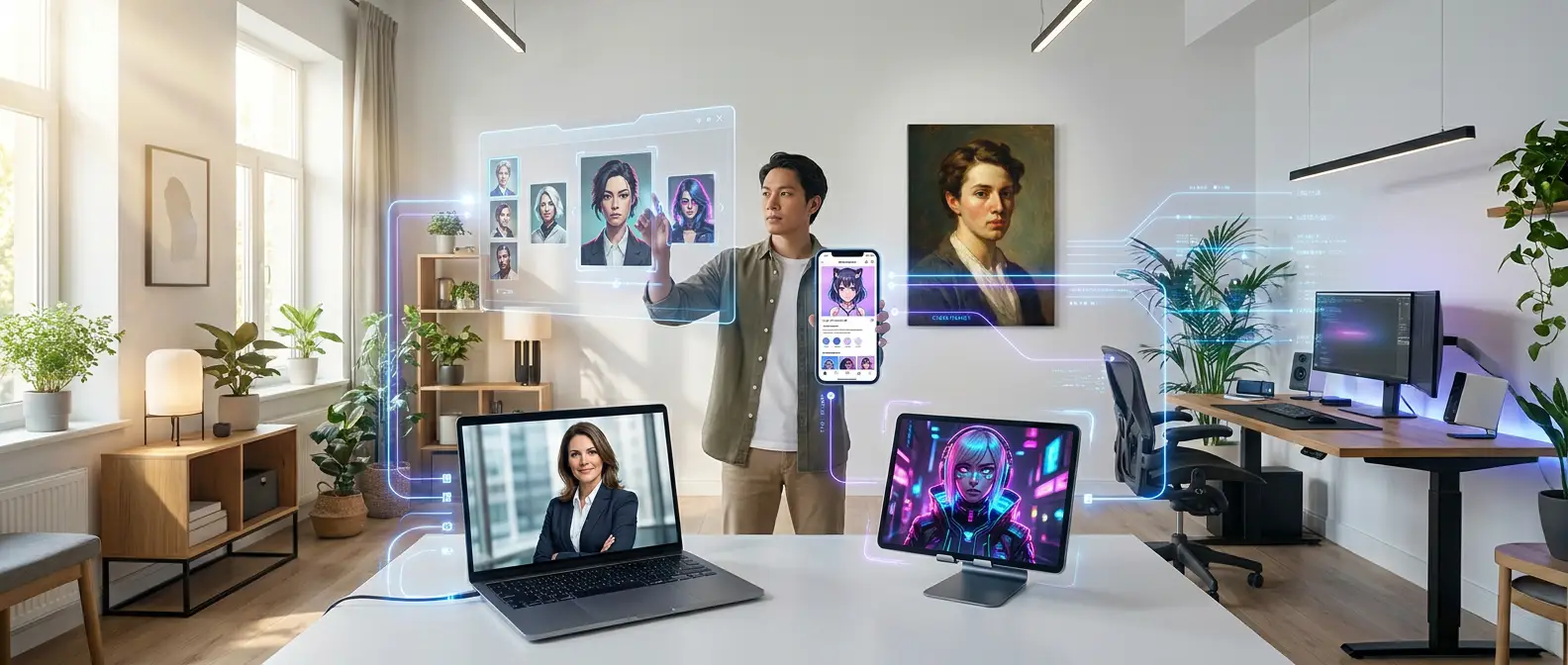
Creative Ways to Use AI Selfie Art
AI-generated selfie art goes beyond simple experimentation; it is a versatile tool for defining your online identity, creating unique gifts, strengthening your brand, or generating compelling visual content. However, before leveraging these images for commercial purposes, always verify the specific AI tool’s licensing and usage rights.
Use Case | Why It Works |
|---|---|
Social Media Profile Pictures | A distinctive AI portrait can help your profile stand out while showing your personality or creative style. |
Digital Avatars | AI selfie art can give you a recognizable digital identity for online communities, forums, and virtual spaces. |
Gaming Profiles | Anime, fantasy, cyberpunk, and 3D styles can transform your selfie into a character that matches your favorite gaming world. |
Personal Branding | A consistent collection of AI portraits can create a memorable visual identity across websites, portfolios, and professional platforms. |
Gifts and Printed Artwork | A personalized AI digital portrait can become a thoughtful gift when printed as a poster, card, canvas, or other keepsake. |
Marketing and Content Creation | Creators and businesses can use AI artwork in blog graphics, social media posts, promotional campaigns, and visual storytelling—when permitted by the tool’s license. |
Digital Collectibles and NFTs | AI art can be used to create personalized digital collectibles, provided you have the necessary commercial rights and follow the rules of the platform where you publish or sell it. |
The Future of AI Portraits Is Closer Than You Think
The future of AI portraits is closer than you think, as new technologies are making portrait creation faster, smarter, and more personal than ever before. Real-time AI generation now allows users to see artistic transformations instantly, while personalized AI art models can learn individual preferences to create portraits that feel unique and tailored. At the same time, 3D avatars and virtual identities are expanding how people present themselves online, offering immersive digital versions of their appearance for social media, gaming, and professional spaces. Combined with AI-powered creative workflows, these advancements are turning portrait creation into a seamless process where ideas can move from concept to polished visual in just minutes.
Conclusion
Turning a selfie into AI art is straightforward: start with a clear photo, pick a style you like, fine-tune the settings, generate a few variations, then polish the version that feels most like you. Whether you prefer realistic digital paintings, soft watercolor looks, anime-inspired portraits, or bold cyberpunk aesthetics, testing different styles is the fastest way to land on a result that matches your personality.
The quality of your input photo matters most. Strong lighting, a sharp view of your face, a natural expression, and a clean background give the AI the detail it needs to produce a more accurate, recognizable portrait with fewer distractions.
Want to see the difference in minutes? Create your first AI portrait with Betatum AI and turn your favorite selfie into original digital artwork.