
How to Pay for AI Tools Without a Credit Card
By Maria · 2026-08-24
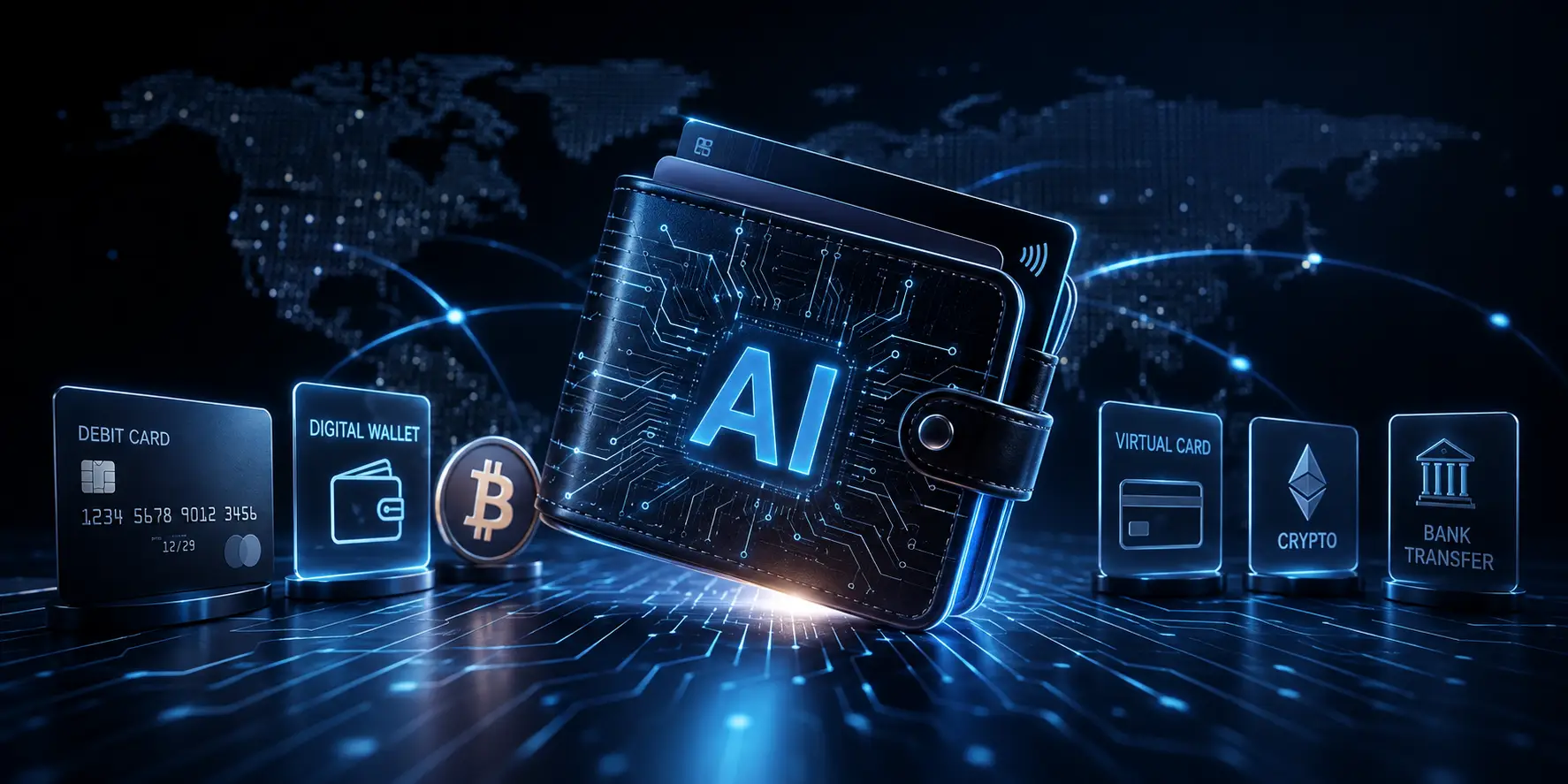
Learn how to pay for AI tools without a credit card using debit cards, virtual cards, digital wallets, crypto, app-store balances, and local payment methods.
You reach the checkout page for an AI writing, image, video, coding, or productivity tool, choose a paid plan, and then see a credit card field. If you do not have a credit card or simply do not want to use one—you may wonder how to pay for an AI tool.
The good news is that you do not always need a credit card. Depending on the AI provider, your billing country, the payment processor, the currency, and the type of purchase, you may be able to use a debit card, digital wallet, prepaid card, virtual card, cryptocurrency, app-store payment, bank transfer, or another local payment method.
However, there is no single payment method that works for every AI subscription without a credit card. Some providers accept debit cards or digital wallets, while others may support virtual cards, prepaid options, or payments through an app store.
In some cases, you may even be able to pay for AI without a bank account, depending on the available service in your country. Before choosing a payment method, check the provider’s current checkout page because its listed options are the final source of truth.
Summary
This guide explains how to pay for AI tools without a credit card. It covers the most common alternatives, including debit cards, digital wallets, crypto, prepaid and virtual cards, app-store balances, bank transfers, and local payment methods. It also shows what to check before paying, such as subscription type, recurring billing support, fees, refund rules, and country-based availability.
Before You Choose a Payment Method, Check the Checkout First
Before creating a new payment account or moving money, check the AI tool’s checkout page. This simple step can save you time and prevent you from choosing a payment method that the provider does not support. Payment options can vary between AI services, so never assume that a method accepted by one platform will also work for another.
What Payment Methods Are Actually Listed?
Look at the payment options shown on the checkout page. You may find:
Credit or debit card
PayPal or another digital wallet
Cryptocurrency
Bank payment or bank transfer
Local payment methods
App-store purchase
Account balance or prepaid credits
If a payment option does not appear at checkout, do not assume that the platform supports it. For example, the fact that one AI service accepts PayPal does not mean that every AI subscription supports PayPal.
Are You Buying a Subscription, Credits, or a One-Time Product?
The payment requirements may also depend on what you are buying. A prepaid card or another one-time payment method may work for a single credit purchase, but it may not support automatic monthly renewal.
Check whether the AI provider is charging you for:
A monthly subscription
An annual subscription
Prepaid credits
Usage-based or API billing
A one-time product
Subscriptions usually require a payment method that can be charged again in the future. By contrast, prepaid credits and one-time purchases may only require a single successful payment.
Does Your Country or Currency Change the Options?
The payment methods available to you may depend on your account region, billing country, currency, card issuer, payment processor, app-store country, and the merchant’s settings. Two users may see different options on the same AI tool’s checkout page because they are located in different countries or use different billing details.
Do not enter false billing addresses, country information, identity details, or account-region data to unlock another payment method. This can cause payment failure, account restrictions, or verification problems. Always use accurate information and follow the provider’s payment and account rules.
Option 1: Try a Debit Card Before Looking for a Workaround
A card checkout does not always mean that you need borrowed credit. A debit card usually uses money that is already available in your linked bank account, while a credit card lets you borrow money and repay it later. Many merchants process debit cards through the same major payment networks used for credit cards, so a debit card may be enough to pay for an AI tool without a credit card.
However, not every debit card will work. Acceptance may depend on the card network, such as Visa or Mastercard, the card issuer, your billing country, international and online payment settings, recurring billing support, and the merchant’s restrictions. For this reason, do not assume that any debit card can be used for every AI subscription. Check the provider’s checkout page and confirm that your card is enabled for online and international payments if necessary.
Can a Debit Card Pay for a Monthly AI Subscription?
A debit card may be able to pay for a monthly AI subscription if the merchant accepts it, recurring transactions are supported, and enough money remains in the linked account when the subscription renews. The first payment may go through successfully, but a later renewal can still fail because of an insufficient balance, changed card settings, an expired card, or a restriction on recurring payments. Before subscribing, check whether the debit card supports automatic recurring charges.
Option 2: Check for PayPal or Another Digital Wallet
Some AI providers let you pay through PayPal or another digital wallet by selecting the wallet button at checkout. A digital wallet can be funded with a debit card, bank account, stored wallet balance, or another payment source supported by the wallet. This can make checkout easier, but using a digital wallet does not automatically mean that you can pay without a bank account or payment card. The funding source connected to the wallet still matters.
When Is a Digital Wallet Useful?
A digital wallet may be useful when:
The AI provider offers wallet checkout directly.
You already have an active wallet account.
Your preferred funding source is already connected to the wallet.
You want to avoid entering your card details manually on the AI provider’s website.
Before using this option, confirm that the wallet is available in your country and that the AI provider accepts it for the type of purchase you want to make.
What Should You Check Before Paying?
Before completing the payment, review the following details:
Funding source: Check which card, bank account, or wallet balance will be charged.
Currency conversion: Find out whether the wallet will convert your money into another currency and check the exchange rate.
Wallet fees: Look for transaction, conversion, or other additional fees.
Recurring subscription support: Confirm that the wallet can be used for automatic monthly or annual renewals.
Refund destination: Check where a refund will be sent if the payment is canceled or the subscription is refunded.
A digital wallet can be a convenient way to pay for an AI subscription without entering card details directly. However, it is not always a completely card-free or bank-free option.
Option 3: Pay With Crypto When the AI Tool Accepts It Directly
Cryptocurrency can be one way to pay for an AI tool without a credit card, but it is not a universal solution. Use this option only when the AI provider lists crypto as a direct payment method at checkout. Do not assume that an AI platform accepts Bitcoin, Ethereum, USDT, or USDC just because another service does.
How Direct Crypto Checkout Usually Works
The exact steps vary by provider, but the process usually looks like this:
Choose an AI plan or buy credits.
Select cryptocurrency at checkout.
Choose one of the supported cryptocurrencies.
Confirm the required blockchain network.
Copy the wallet address or scan the QR code.
Check the requested payment amount.
Review the invoice expiry time, if one is shown.
Send the payment.
Wait for the required blockchain confirmations.
Confirm that your subscription or credits have been activated.
Always check the payment amount, wallet address, network, and invoice deadline before sending the transaction.
Stablecoin or Volatile Cryptocurrency?
When paying for AI subscriptions with cryptocurrency, you generally choose between stablecoins and volatile assets. Stablecoins maintain a steady value tied to a fiat currency, while traditional cryptocurrencies can change in price rapidly.
The table below highlights the main advantages and considerations for the most common crypto payment options:
Crypto type | Main advantage | Main consideration |
|---|---|---|
Stablecoins such as USDT or USDC | Easier comparison with USD-based pricing | The correct blockchain network still matters |
BTC | Widely recognised | The price and transaction fees can fluctuate |
ETH | Common across crypto services | Network fees can vary |
The availability of each cryptocurrency depends on the AI provider. Never assume that every platform accepts BTC, ETH, USDT, or USDC.
The Blockchain Network Matters as Much as the Coin
Choosing the correct cryptocurrency is not enough. You must also select the exact blockchain network shown in the merchant’s checkout. Never guess the network or choose one simply because it has a lower fee.
Sending an asset through an unsupported network can result in lost funds or require a recovery process that may not be available. Before confirming the payment, compare the network name on your wallet with the network specified by the AI provider.
Crypto Refunds Work Differently
A blockchain transaction and a merchant refund are two different things. Once a crypto payment is confirmed on the blockchain, it usually cannot simply be canceled or reversed. However, the merchant may send a separate refund transaction if its refund policy allows it.
Before paying, check the provider’s refund terms, including whether crypto payments are refundable, which currency will be returned, and whether any processing or network fees will be deducted.
Option 4: Use a Prepaid or Virtual Card When Supported
When you do not have a traditional credit card, a prepaid or virtual card can be a useful alternative for paying for AI services. However, treat these as tools with specific limitations rather than guaranteed solutions for every checkout page.
Prepaid Card vs. Virtual Card — What Is the Difference?
While they are both digital-friendly, they operate differently:
Prepaid Card: You typically load money onto the card before you spend it. It acts like a gift card—you can only spend what you have already deposited.
Virtual Card: This is a digital-only card number. Depending on the provider, it may be linked to a bank account, a debit balance, a prepaid balance, or sometimes a credit facility.
It is important to know that a virtual card is not automatically prepaid, anonymous, disposable, or accepted everywhere. Always check the features of the specific card you are using.
Will a Virtual Card Work for an AI Subscription?
Possibly, but not always. Acceptance for an AI subscription without a credit card depends on several factors:
Merchant Policy: Does the AI tool explicitly block prepaid or virtual cards?
Issuer: Does your bank or virtual card provider support international or recurring transactions?
Card Network: Is the card issued by Visa, Mastercard, or another network that the merchant supports?
Recurring Billing Support: Does the merchant recognize the card as capable of future automatic charges?
Disposable Virtual Cards Can Cause Renewal Problems
Some virtual cards are “disposable” or “one-time use.” While these can successfully pay for the first month of a service, they will fail when the merchant attempts to process the next recurring charge. This is a common issue for:
Monthly AI subscriptions.
Annual auto-renewal plans.
Recurring API billing.
If you are signing up for a subscription, ensure your virtual card supports recurring billing and has sufficient funds available for future renewals.
Check Prepaid Card Fees Before Loading Money
Before loading money onto a prepaid card, review the terms of service. As noted by FTC consumer guidance, prepaid cards can come with various fees, including:
Purchase or activation fees.
Reload fees.
Monthly maintenance fees.
Transaction fees.
Currency conversion fees.
Always calculate these costs to ensure the prepaid card is actually a cost-effective way to pay for your AI subscription.
Option 5: Look for App Store Balance, Bank Transfer, or Local Payment Methods
If the AI provider does not accept the payment method you want, check whether it supports other regional options. In some markets, you may be able to pay through a supported app-store balance, a bank transfer, an account-to-account payment, mobile money, a regional payment app, or another local instant bank payment method. Availability is highly regional, so avoid assuming that the same options will appear everywhere.
Paying Through a Mobile App Store
If the AI service offers an in-app subscription, the Apple App Store or Google Play may show payment options that are different from the provider’s website. Depending on your region, these may include cards, account balance, supported gift balance, digital wallets, carrier billing, or local payment methods.
Use the phrase supported app-store balance carefully. Do not assume that every app-store balance can pay for every subscription. The options shown in the app store are the only reliable source for that purchase.
Local Bank and Account-to-Account Payments
Card use is not equally dominant in every market. In some regions, providers or payment processors may support direct account-to-account payments or other local banking methods instead of traditional card checkout.
Even so, the checkout page remains the source of truth. If a local bank option is not shown during checkout, do not assume it can be used for that AI subscription.
Which Payment Method Should You Try First?
The best payment method depends on what the AI provider actually accepts, what type of purchase you are making, and whether you need recurring access or only a one-time payment. Use the table below as a starting point, not as a universal rule.
Situation | Best Starting Point | Check Before Paying |
|---|---|---|
You have a debit card | Debit card | Online, international, and recurring payment support |
You already use a supported wallet | Digital wallet | Whether the AI provider shows that wallet at checkout |
You have a prepaid or virtual card | Prepaid or virtual card | Merchant acceptance and recurring billing |
You already hold crypto | Direct crypto | Coin, network, fee, invoice amount, and confirmation requirements |
The AI service has a mobile app | App-store payment | Whether the subscription is offered as an in-app purchase |
You have access to local banking options | Bank or local payment | Region, processing time, and currency |
You need recurring access | Debit, wallet, or compatible virtual card | Automatic renewal support |
You need only prepaid credits | Any supported one-time method | Fees, refund rules, and credit expiration |
The right method depends on acceptance, payment type, renewal, fees, and protection, not simply convenience.
Subscription, Credits or API Billing? The Payment Rules Can Change
Not every AI purchase works like a standard monthly SaaS subscription. Some tools charge you monthly, some sell prepaid credits, some bill by usage, and some offer a one-time purchase. Because of that, the payment rules can change depending on what you are buying.
Billing Model | Payment Behaviour | Main Thing to Check |
|---|---|---|
Monthly subscription | Recurring | Renewal compatibility |
Annual subscription | Larger one-time or recurring payment | Cancellation and refund terms |
Prepaid credits | Pay before use | Expiry and refill policy |
Usage-based/API | Charges vary with usage | Spending limits and billing method |
One-time purchase | Single payment | Refund policy |
Someone buying $20 of API credits may have very different payment concerns from someone setting up an automatically renewing AI subscription. For example, a one-time payment method may be enough for prepaid credits, but it may not work for a plan that renews every month.
Which Option Costs the Least?
There is no single cheapest payment method. The true cost of an AI subscription depends on your specific situation. To understand what you are actually spending, use this formula to calculate the final amount:
AI plan price + payment fee + currency conversion + network/processing fee + funding/reload fee = actual checkout cost
Method | Possible Extra Costs | What to Check |
|---|---|---|
Debit card | FX or international fee | Issuer conversion rate and foreign transaction fee |
Digital wallet | Wallet or conversion fee | Funding source and exchange rate |
Prepaid card | Purchase, reload, or monthly fees | Fee schedule and remaining balance |
Virtual card | Issuance, funding, or FX fees | Provider fee structure |
Direct crypto | Blockchain fee + conversion | Network fee and invoice amount |
App-store payment | Possible pricing differences | Compare web versus in-app price where relevant |
Bank/local payment | Transfer or FX costs | Processing fee and conversion |
The Lowest Listed Price Is Not Always the Lowest Final Cost
An advertised price for an AI tool does not always reflect the final amount that leaves your account. A debit card might add an international transaction fee, while a digital wallet could use a poor currency exchange rate. Prepaid cards often include reload or monthly maintenance fees, and crypto transfers involve network costs that vary by time of day.
Additionally, an in-app subscription through an app store may be priced differently than the web checkout version. Always compare the final checkout summary, not just the plan’s advertised price.
Is Paying for AI Without a Credit Card Safe?
Paying for AI without a credit card can be safe, but it depends on the merchant, the payment provider, the payment method, and how well you protect your account. It also depends on what consumer protections and refund options are available, and how much money is exposed if something goes wrong. For the safest result, use the official AI provider checkout, verify the domain, enable 2FA where available, avoid random intermediaries, check payment and funding fees, save receipts, and keep crypto transaction IDs and recovery credentials secure when relevant.
Different Payment Methods Offer Different Consumer Protections
Different payment methods do not give you the same level of protection. Chargeback rights, fraud protection, dispute processes, and refund procedures can vary significantly between credit cards, debit cards, prepaid products, wallets, and cryptocurrency. Do not assume that every alternative payment method offers the same protection as a traditional credit card.
Payment Privacy Is Not the Same as AI Data Privacy
Using crypto, a wallet, a prepaid card, or a virtual card changes how you pay, but it does not automatically change how the AI company handles your data. It does not decide what the provider does with your prompts, uploaded images, documents, account information, AI-generated content, or usage data. If privacy matters to you, review the AI provider’s privacy policy separately before you pay.
Final Verdict
To pay for an AI tool without a credit card, choose your method based on your setup: start with a debit card if online and recurring payments are supported, check for a direct digital wallet option, or use a compatible prepaid card, virtual card, or cryptocurrency when the provider explicitly accepts them. If you do not have a bank account, look for supported app-store balances or regional payment methods. Ultimately, the right choice depends on acceptance, renewal support, total checkout cost, refund protection, and security, rather than simply picking the option that looks easiest.