
Restore Old Photos with AI: Step-by-Step Guide
By Maria · 2026-06-21
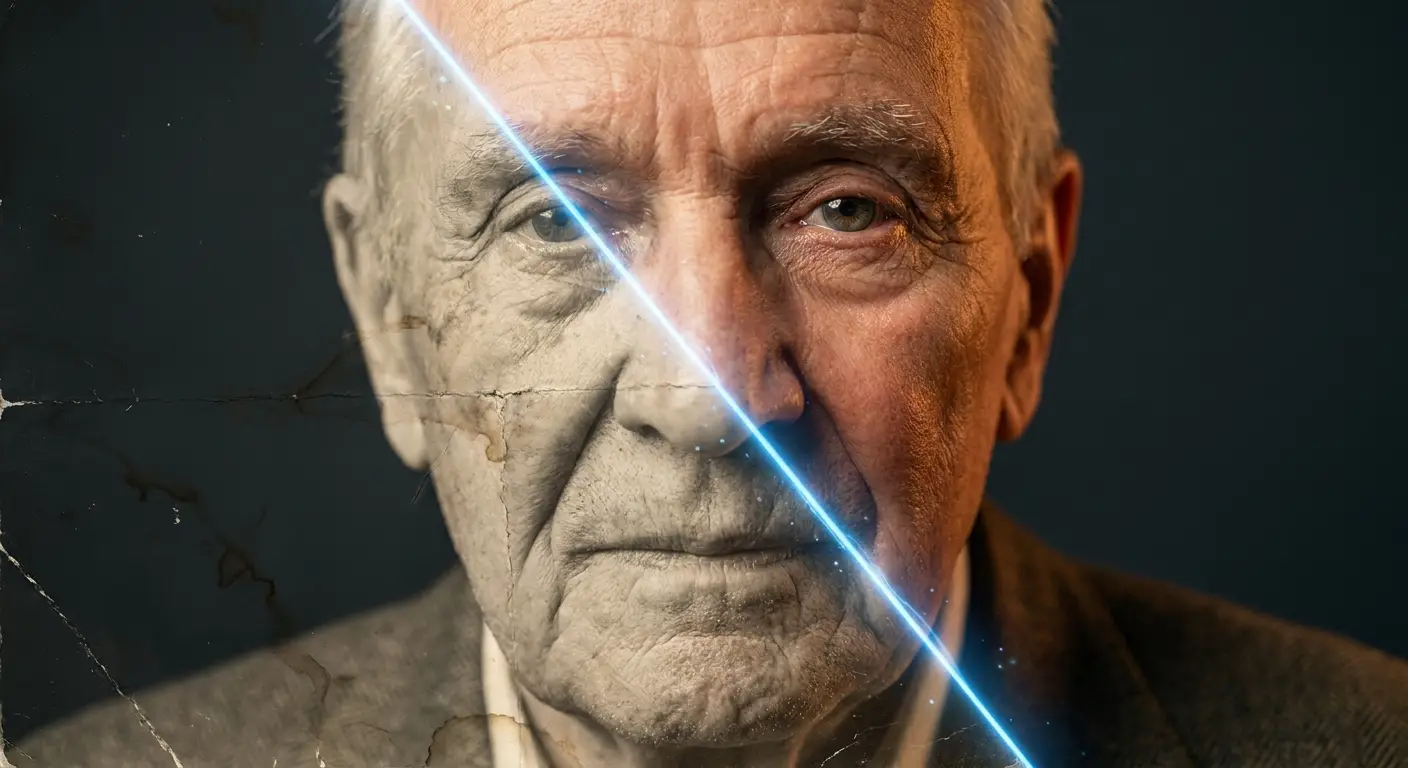
Old photos often become faded, scratched, blurry, or damaged over time. Thanks to AI photo restoration, you can now repair old photographs, enhance image quality, restore colors, remove imperfections, and preserve precious memories in just a few simple steps. This comprehensive guide explains how AI restores old photos, the best restoration techniques, and how to achieve stunning results without professional editing skills.
Old photos hold valuable memories, emotions, and stories from the past, but over time they can become faded, scratched, blurry, or damaged due to age, improper storage, sunlight exposure, and environmental conditions. Photo restoration is the process of repairing and improving these images to bring back their original quality and details.
Today, AI has completely changed the way people approach old photo restoration by using advanced technology to fix imperfections, remove scratches from photos, improve image clarity, and even colorize old photos automatically. With AI photo restoration , anyone can restore old pictures digitally without needing professional editing skills. In this guide, you will learn how to restore old photos with AI, repair damaged old photographs, enhance old blurry photos, upscale old photos, and transform your precious old family photos into clearer, improved digital memories.
Summary
In this complete guide to restoring old photos with AI, you’ll discover how artificial intelligence can automatically repair damaged, faded, or blurry images and bring your precious memories back to life. We’ll walk you through how AI photo restoration works, what types of photo damage it can fix, the best AI tools available, and a simple step-by-step process to restore old pictures like a professional. You’ll also learn practical tips to improve your results, compare AI vs traditional restoration methods, and explore the best use cases for restoring family, historical, and personal photos. By the end, you’ll know exactly how to enhance, colorize, upscale, and preserve your old photos using modern AI tools.
How AI Restores Old Photos: A Complete Explanation
AI-powered photo restoration has changed the way people repair and preserve damaged memories. Instead of spending hours manually editing every detail, AI tools can automatically analyze an old photograph, identify damaged areas, and rebuild missing details using advanced image processing technology. AI photo restoration works by learning patterns from thousands of images and understanding how faces, textures, colors, and objects should look. This allows AI to restore old photos, enhance image quality, remove imperfections, and bring new life to photographs that have faded over decades.
Understanding AI-Powered Photo Restoration
AI photo restoration uses artificial intelligence and machine learning algorithms to improve old or damaged images. The technology examines the structure of a photograph, detects problems, and applies corrections while keeping the original look and feeling of the image.
AI restoration tools can:
Analyze damaged photographs and identify areas that need repair
Detect scratches, stains, noise, and missing details automatically
Improve sharpness and restore blurry images
Enhance facial details and important features
Restore faded colors and improve contrast
Upscale old photos to higher resolutions
Colorize black-and-white images with realistic tones
How AI Analyzes Damaged Photographs
When you upload an old photo to an AI restoration tool, the system scans the image and looks for signs of damage. AI models compare patterns, shapes, and textures to understand what parts of the image may be missing or distorted. For example, if a face is blurry or partially damaged, AI can predict missing details and recreate them based on learned visual information.
The Technology Behind Photo Restoration Tools
Modern AI photo restoration tools use technologies such as deep learning, neural networks, and computer vision. These systems are trained on large collections of images, allowing them to recognize common photo problems and make intelligent improvements. Instead of simply applying filters, AI can understand the content of an image and make targeted repairs.
Common Restoration Tasks AI Can Perform
AI can handle many parts of the restoration process, including:
Scratch removal: Detecting and removing lines, marks, and surface damage from old photographs
Photo enhancement: Improving brightness, contrast, and overall image quality
Face restoration: Recovering clearer facial features from low-quality images
Color restoration: Adding realistic colors to faded or black-and-white photos
Image upscaling: Increasing resolution while maintaining important details
Noise reduction: Removing grain and unwanted visual distortions
AI Restoration vs. Manual Photo Editing
Traditional photo editing requires professional skills and a lot of time because every damaged area must be fixed manually. AI restoration speeds up the process by automatically identifying problems and applying corrections within seconds or minutes. While manual editing still offers complete creative control, AI tools are often easier for beginners and provide impressive results with minimal effort.
Types of Damage AI Can Repair
Old photographs can suffer from different types of damage, but AI technology can repair many common issues:
Scratches and dust marks: AI can detect small scratches, spots, and dust particles and remove them while preserving the original image details.
Tears and creases: Damaged areas caused by folding or physical wear can be repaired by rebuilding missing sections of the photo.
Blurry or low-resolution photos: AI can sharpen unclear images and enhance details to make old pictures look clearer.
Faded colors: AI can restore brightness, improve contrast, and bring back natural-looking colors in aged photographs.
Noise and grain: Old scanned photos often contain unwanted grain or digital noise, which AI can reduce for a cleaner appearance.
Water-damaged photos: AI can help restore images affected by moisture damage by improving clarity and repairing damaged areas.
Black-and-white photo enhancement: AI can improve black-and-white images and even colorize old photos with realistic color suggestions.
With AI photo restoration, repairing old family photos and preserving historical memories has become easier, faster, and more accessible for everyone.
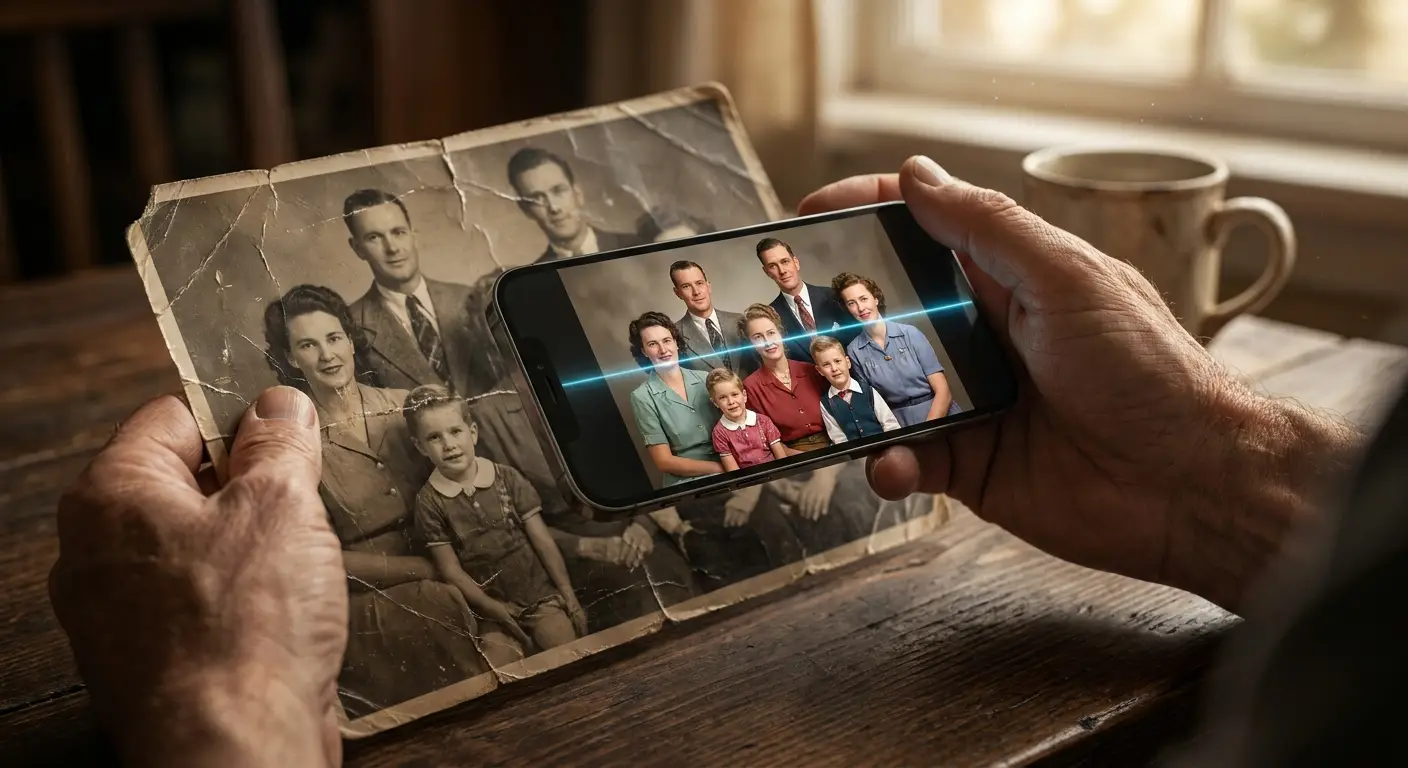
Benefits of Restoring Old Photos with AI
AI photo restoration makes it easier to preserve valuable memories and improve damaged images without requiring advanced editing skills. Some key benefits include:
Save precious family memories: Restore old family photos and protect important moments from the past before they become permanently damaged.
Restore historical photographs: Improve old photographs, documents, and meaningful images to preserve their value for future generations.
Improve image quality automatically: AI can enhance details, fix damage, sharpen blurry areas, and improve overall photo appearance with minimal effort.
Faster than traditional restoration methods: AI tools can complete many restoration tasks in minutes, while manual editing may take hours or even days.
Cost-effective compared to professional services: Digital AI restoration offers an affordable way to repair photos without paying high professional restoration fees.
Suitable for beginners with no editing experience: Anyone can restore old photos with AI using simple tools, even without photography or editing knowledge.
What to Do Before Restoring Old Photos
Before you start using AI photo restoration tools, preparing your old images properly can make a big difference in the final result. A high-quality source image gives AI more information to analyze, helping it repair damage, restore details, and enhance the photo more accurately.
Scan Physical Photos Correctly
The first step is to create a clear digital copy of your old photograph. Use a good-quality scanner instead of taking a picture with a phone whenever possible, as scanning captures more details and reduces distortion.
Recommended scanning resolution: Scan old photos at least 300 DPI for regular restoration and consider 600 DPI or higher for small, highly detailed, or damaged photographs.
Best file formats for restoration: Use lossless formats like PNG or TIFF to preserve image quality. Avoid heavily compressed formats that may reduce important details.
Tips for avoiding scanning errors: Make sure the scanner glass is clean, place the photo flat, avoid shadows or reflections, and scan in proper lighting conditions.
Improve Restoration Results Before Uploading
A few simple preparation steps can help AI tools produce better restoration results:
Clean the photo surface carefully: Remove dust and dirt gently using a soft, clean cloth or brush to prevent unwanted marks from affecting the restoration process.
Crop unnecessary borders: Remove extra edges, damaged frames, or empty areas so the AI focuses on the important parts of the image.
Choose the highest-quality source image: Upload the clearest and largest version available to allow AI to restore more details and produce a better final result.
Best AI Tool for Restoring Old Photos
Choosing the right AI photo restoration tool can make a big difference in the quality of your restored images. Different tools offer different features, from repairing damaged photos and improving clarity to enhancing faces and adding color.
Betatum AI is designed to make old and damaged photos look clearer by using AI-powered enhancement technology. It can help remove imperfections, improve image quality, restore details, and enhance old family photos without requiring advanced editing skills. It is a suitable option for users who want a simple way to repair and improve old pictures.
How to Restore Old Photos with AI (Step-by-Step)
Restoring old photos with AI is a simple process that usually takes just a few minutes. Most AI tools guide you through each step automatically, making it easy even for beginners to repair and enhance damaged images.
Step 1: Upload Your Old Photo
The first step is to upload your old or damaged photo into an AI restoration tool. Make sure you are using the highest-quality version available for the best results.
Supported image formats: Most tools accept common formats such as JPG, PNG, and sometimes TIFF.
Recommended image size: Use the largest and clearest version of the image possible to help AI detect more details and improve accuracy.
Step 2: Let AI Detect Damage
Once uploaded, the AI system automatically scans the photo to identify problems and areas that need improvement.
Automatic damage recognition: AI detects scratches, noise, fading, blur, and missing details without manual input.
Facial detection and enhancement: The system identifies faces and enhances facial features for a more natural and realistic result.
Step 3: Enhance and Repair the Image
After analysis, AI begins restoring the image by applying corrections and enhancements.
Removing scratches and imperfections: AI fills in damaged areas and removes unwanted marks.
Fixing blur and sharpening details: The tool improves clarity and restores sharpness to old or low-quality images.
Increasing image resolution: AI upscales the photo to a higher resolution while preserving important details.
Step 4: Restore Colors (Optional)
Some AI tools offer color restoration features for black-and-white or faded photos.
Colorizing black-and-white photos: AI adds realistic colors based on learned patterns and context.
Correcting faded colors: Restores brightness and brings back natural tones.
Enhancing skin tones and natural details: Improves realism in portraits and family photos.
Step 5: Preview and Compare Results
Before saving, most tools allow you to compare the original image with the restored version.
Before-and-after comparison: Helps you see improvements clearly and evaluate the restoration quality.
Identifying areas that may need adjustment: Some tools allow minor refinements for better accuracy.
Step 6: Download the Restored Photo
Once satisfied with the results, you can download the restored image in your preferred format.
Choosing the best output format: PNG is ideal for high quality, while JPG is more commonly used for sharing.
Saving high-resolution copies: Always save the highest resolution version to preserve the restored details for future use.
Essential AI Features for Photo Restoration
Modern AI photo restoration tools come with powerful features designed to repair damage, enhance clarity, and bring old images back to life. Understanding these features helps you choose the right tool and get better restoration results.
Face Restoration: AI can repair damaged facial features, recover missing details, and improve the quality of portraits. This is especially useful for restoring old family photos where faces may be blurry or faded.
Repairing damaged facial features: Advanced algorithms reconstruct eyes, lips, and facial structure to make portraits look more natural and recognizable.
Improving portraits and family photos: Enhances skin texture, sharpness, and facial clarity while preserving original expressions.
AI Upscaling: AI increases image resolution while maintaining important details, making old photos clearer and sharper without significant quality loss.
Increasing resolution without major quality loss: Upscaling tools intelligently add missing pixels to improve image quality.
Making old photos suitable for printing: Restored images can be enlarged and printed without becoming pixelated or blurry.
Noise Reduction: AI removes unwanted grain, dust, and visual distortions that often appear in scanned or aged photographs.
Removing grain and visual artifacts: Smooths out rough textures while keeping important details intact.
Enhancing overall clarity: Produces cleaner, more professional-looking restored images.
Color Restoration: AI Colorizer brings faded images back to life by reconstructing natural and realistic colors.
Bringing faded photos back to life: Restores brightness and contrast to aged photographs.
Natural color reconstruction: Uses intelligent prediction to apply realistic tones to different parts of the image.
Scratch and Damage Removal: AI automatically detects and removes scratches, tears, and other visible defects from old photos.
Eliminating visible defects automatically: Reduces manual editing effort by fixing damaged areas instantly.
Repairing torn and worn photographs: Rebuilds missing or broken sections to restore the original image appearance.
Best Use Cases for AI Photo Restoration
AI photo restoration is widely used to bring old, damaged, or low-quality images back to life in both personal and professional contexts. One of its most meaningful applications is family photo preservation, where people restore old albums to protect precious memories that might otherwise fade over time. It is also commonly used for restoring childhood pictures, helping individuals recover clear versions of early-life photos that are often blurry, scratched, or discolored.
In wedding photo restoration, AI can repair faded or damaged ceremony photos, bringing once-in-a-lifetime moments back to life with clarity and vibrance. For historical archive restoration, museums, researchers, and institutions use AI to enhance old photographs and documents, preserving cultural and historical value for future generations. AI also plays an important role in genealogy and family history projects, where restored images help people reconnect with their ancestors and build more complete family trees.
Finally, it is widely used for social media memory sharing, allowing users to enhance and post restored vintage photos with improved clarity and visual appeal, making old memories more engaging for modern digital platforms.
Tips for Getting Better Restoration Results
Getting the best results from AI photo restoration depends not only on the tool you use but also on how you prepare and process your images. These simple tips can significantly improve the quality of your restored photos.
Use the highest-quality scan possible: Always start with the clearest and highest-resolution version of your photo. A better source image gives AI more detail to work with, leading to more accurate restoration results.
Restore photos in multiple passes: Instead of relying on a single edit, run the restoration process more than once if needed. This can help gradually improve details and reduce remaining imperfections.
Avoid over-sharpening: Too much sharpening can make photos look unnatural or create unwanted noise. Aim for a balanced and realistic level of enhancement.
Compare different AI settings: Many tools offer multiple enhancement modes. Try different settings to see which one produces the most natural and high-quality result.
Keep an original backup copy: Always save the original file before editing. This allows you to restart the process or try different restoration methods without losing the source image.
Manually retouch important details when needed: While AI handles most of the work, small manual adjustments can improve critical areas like faces, eyes, or text for a more polished final result.
AI Photo Restoration vs Traditional Restoration
AI photo restoration uses automated algorithms to quickly repair and enhance old photos, while traditional restoration relies on manual, time-consuming editing by professionals. Both methods aim to preserve memories, but they differ in speed, cost, and level of control.
Feature | AI Photo Restoration | Traditional Restoration |
|---|---|---|
Speed | Very fast (seconds to minutes) | Slow (hours to days) |
Cost | Low or often free | Usually expensive |
Skill required | No editing skills needed | Requires professional expertise |
Accuracy | Good, but based on prediction | Very precise and controlled |
Editing control | Limited customization | Full manual control |
Best for | Quick enhancement and beginners | High-detail archival restoration |
Tools used | AI software and apps | Photoshop/manual restoration techniques |
Output style | Automated enhancement | Fully customized results |
Final Thoughts
AI photo restoration is one of the easiest and most effective ways to bring old, damaged, or low-quality photos back to life. It is the best choice when you need quick results, want to enhance family memories, or improve large collections of old images without spending too much time or money. While traditional methods still offer maximum manual control, AI restoration provides an excellent balance of speed, quality, and accessibility for most users.
To achieve professional-quality results, it is important to start with the highest-quality scan available, choose the right AI tool for your specific type of damage, and fine-tune the output when possible. Small adjustments after AI processing can significantly improve the final look, especially for portraits and important details.
Once your photos are restored, preserving them properly ensures they last for future generations. Always save high-resolution copies in multiple formats and back them up in secure storage such as cloud services or external drives.
After restoration, you can take the next step by printing your enhanced photos, organizing them into digital or physical archives, or sharing them with family and friends. These steps help keep your restored memories alive and meaningful for years to come.