
How to Censor Nudity in Photos Without Photoshop
By Maria · 2026-11-16
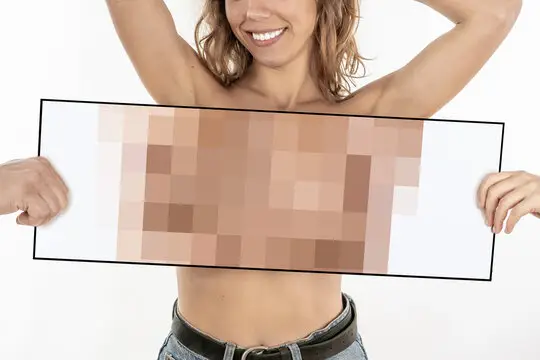
Learn how to censor nudity in photos without Photoshop using Betatum AI Censor. Automatically cover sensitive areas, review the result, and download your photo.
Need to censor nudity in a photo without spending time learning Photoshop or manually covering every sensitive area? An online AI censor tool can simplify the process by automatically detecting nudity and applying censorship to supported regions. Instead of editing each area yourself, you can upload your image, review the detected coverage, and download a censored copy. This guide walks you through each step to help you censor photos quickly and easily.
SUMMARY
Censoring nudity in photos doesn't require Photoshop or complicated editing. This guide explains how automatic AI censorship works and what to check before sharing your edited images.
AI Nudity Censoring: Understand how AI detects and covers supported sensitive regions in photos.
Censor Photos With Betatum: Learn how to upload an image, apply automatic censorship, and download the result.
Review Before Sharing: Discover why checking censored areas and reopening the saved image matters.
What Does an AI Nudity Censor Do?
An AI nudity censor automatically detects and covers supported nude or explicit areas in an existing photo. Instead of manually selecting each sensitive region, the tool identifies areas that may need censorship and applies coverage to them.
Betatum offers an AI-powered censor tool designed to help users hide nudity and explicit content in photos. It simplifies the censorship process while keeping the rest of the image intact. Unlike tools that remove clothing, reconstruct hidden body details, or delete objects, an AI nudity censor focuses on covering sensitive regions, not changing what is underneath them.
It's also important to remember that nudity detection doesn't automatically mean the tool can identify faces, personal information, text, or license plates. Those require separate detection or editing capabilities.
How to Censor Nudity in Photos With Betatum
If you're wondering how to censor images online without Photoshop, Betatum offers a simple way to automatically cover supported nudity regions. You don't need advanced editing skills or manual selections. Here's how to censor your photo in three steps.
Step 1: Open AI Censor and Upload Your Photo
Visit Betatum AI Censor and open the online tool. Upload the photo containing the areas you want to censor. For better results, choose a clear, high-quality image where the sensitive regions are visible.
Step 2: Let the AI Detect and Cover Nudity
Once you submit your image for processing, Betatum analyzes it to identify supported nudity and explicit regions. You don't need to draw boxes or manually select each area. The tool automatically applies censorship to the detected regions while leaving the rest of the photo unchanged.
Keep in mind that AI detection isn't perfect, so some sensitive areas may be missed.
Step 3: Download and Reopen the Censored Copy
Review the processed image carefully to make sure all the intended areas are covered. Pay attention to smaller or partially visible regions that the AI might have missed.
Once you're satisfied, download the censored photo and reopen the saved file to confirm the changes appear correctly. If any sensitive content remains visible, address it before sharing or publishing the image.
What to Check Before Sharing a Censored Photo
Before sharing a censored photo, take a moment to check whether all sensitive areas are properly covered. Automatic nudity detection can simplify the process, but it may miss smaller, partially visible, or less obvious regions.
Zoom in and inspect the image carefully, especially around the edges of censored areas. If any explicit content remains visible, use a manual editing tool to cover the missed regions before sharing.
Finally, reopen the downloaded image to confirm that the censorship appears correctly in the saved file. Remember that a censored photo isn't automatically approved for every platform, so check the relevant content guidelines before publishing.
Conclusion
Censoring nudity in photos doesn't have to involve complicated editing software or hours of manual work. With automatic nudity detection, you can cover supported sensitive regions without using Photoshop. However, always review the censored areas and reopen your downloaded image to make sure nothing important was missed before sharing it. If you're looking for a simpler way to censor explicit content in photos, try Betatum AI Censor.