
How Does AI Know What Colors to Add to Old Photos?
By Maria · 2026-09-04
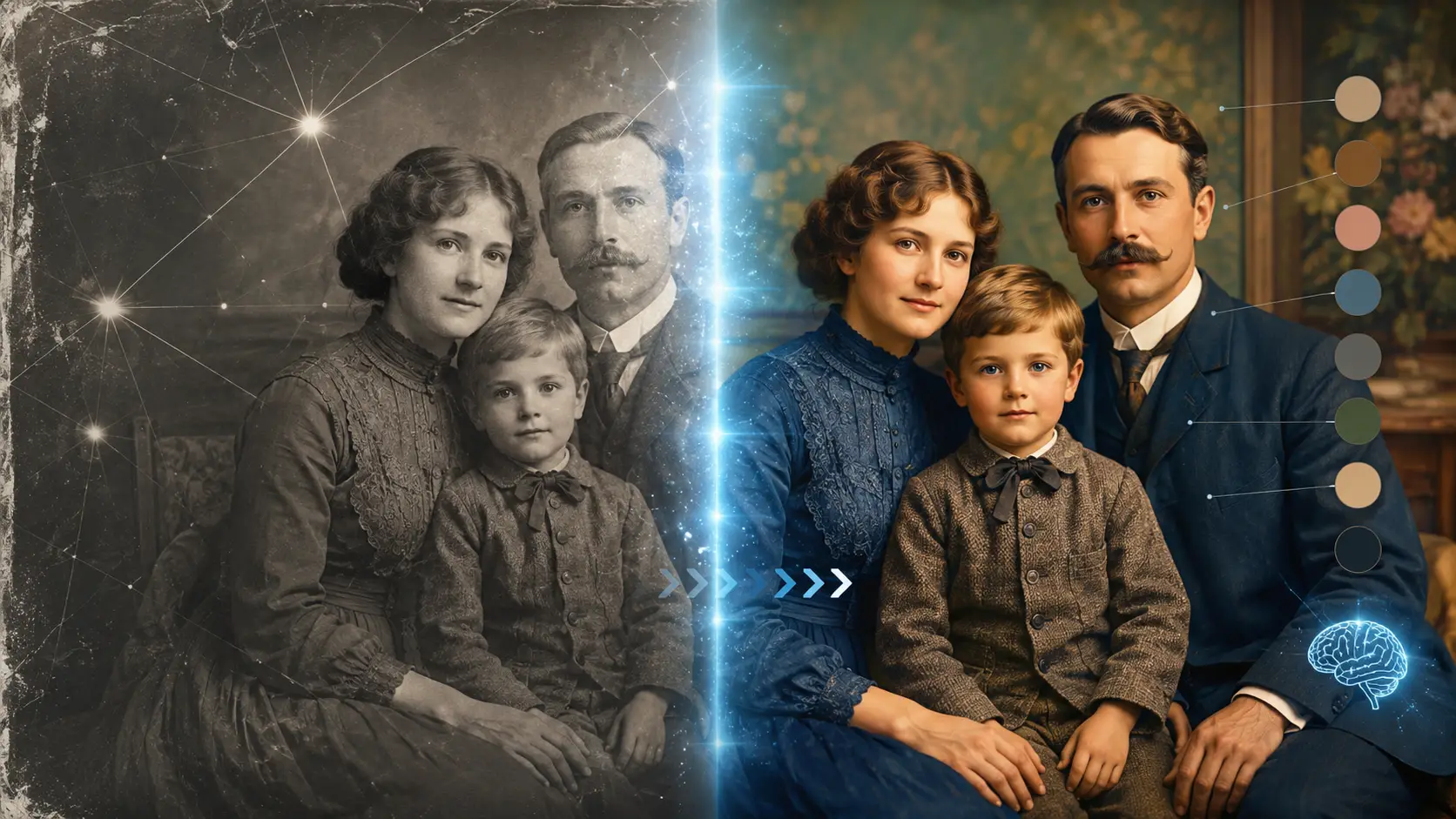
Discover how AI colorizes old black-and-white photos, what visual clues it uses to predict colors, why some colors are easier to guess, and why realistic results are not always historically exact.
You upload an old black-and-white family photo, and seconds later it has natural-looking skin, blue skies, green trees, and colored clothing. It looks convincing enough to raise an obvious question: How does AI know what those colors originally were?
Usually, it does not. AI photo colorization does not recover hidden color information from a black-and-white photo. Instead, it predicts plausible colors using visual clues, scene context, and patterns learned from large collections of color images.
For example, it may recognize a sky, a face, grass, or a wooden table and choose colors that commonly fit those objects. But a shirt, car, or painted wall could have been many different colors. That distinction matters: AI can create a realistic-looking result without necessarily recreating the exact original colors.
Quick Summary
AI does not usually know the original colors in an old black-and-white photo. Instead, it predicts plausible colors by analyzing objects, textures, lighting, shadows, and the surrounding scene, then comparing those clues with patterns learned from large collections of color images.
Some colors, such as skin tones, sky, or vegetation, are easier to estimate. Others, such as clothing, cars, walls, or uniforms, may involve much more guesswork.
So an AI-colorized photo can look highly realistic without necessarily being historically exact.
First, What Information Is Actually Left in a Black-and-White Photo?
A black-and-white photo may no longer contain its original colors, but it still preserves a surprising amount of visual information.
AI can analyze clues such as:
AI Can Still Detect | Why It Matters |
|---|---|
Brightness | Helps distinguish lighter and darker surfaces |
Shapes | Helps identify faces, objects, buildings, and scenery |
Edges | Helps separate one object or region from another |
Texture | Provides clues about skin, grass, wood, fabric, and other materials |
Shadows | Reveals clues about lighting, depth, and three-dimensional form |
Spatial relationships | Helps AI understand where objects are and how they relate to one another |
Scene context | Helps determine whether the image shows a portrait, landscape, room, street, or another type of scene |
The easiest way to understand what is missing is to separate brightness from color.
A grayscale image still contains strong information about luminance—in simple terms, how light or dark different areas appear. AI can see contrast, shadows, outlines, textures, and the structure of the scene.
What may no longer be available is the original chrominance information: the information that tells us what the actual colors were.
For example, AI may clearly see a dark shirt against a lighter background. But that darkness alone cannot tell it whether the shirt was navy blue, dark green, brown, or deep red.
So a black-and-white photo gives AI plenty of clues about what is in the image and how it looks, but not necessarily what color each object originally was.
How Does AI Learn What Things Usually Look Like in Color?
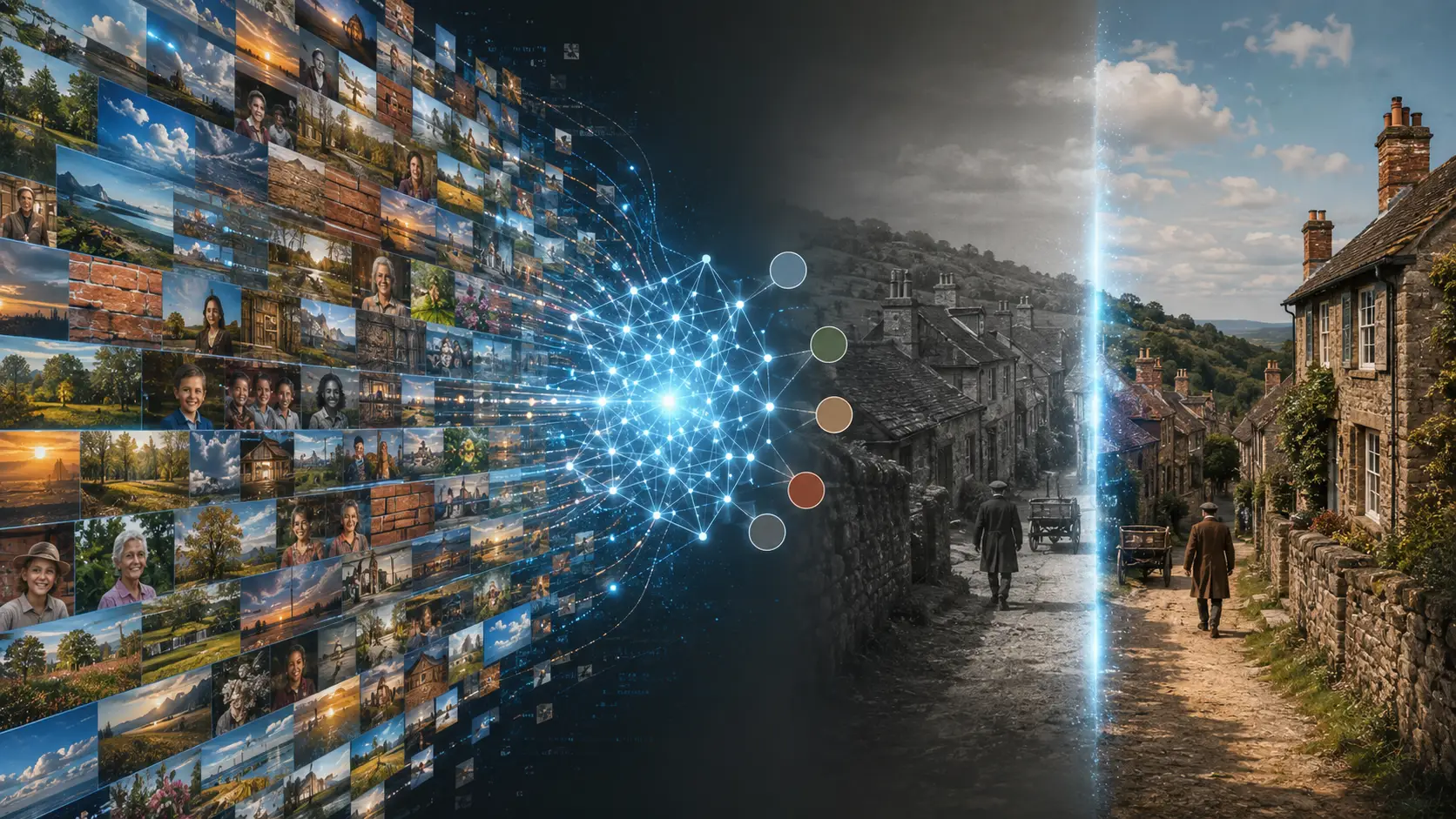
Imagine seeing thousands of pictures of skies throughout your life. Some are bright blue, some gray, some orange at sunset, and some nearly white on cloudy days. Eventually, you begin to recognize which colors are likely in different situations.
AI colorization models learn in a broadly similar way, but at a much larger scale.
During training, a model can be shown huge collections of color photographs. By studying these images, it learns recurring relationships between visual patterns and colors.
For example, it may learn that:
skies are often blue, gray, orange, or white,
vegetation commonly contains shades of green and brown,
human skin tends to fall within recognizable natural color ranges,
wood often appears in brown, tan, or beige tones,
and brick frequently appears reddish, brown, or earthy.
But AI is not using a simple dictionary that says “sky = blue” or “tree = green.” A sunset sky, a cloudy landscape, and a nighttime scene all require different choices. Lighting, nearby objects, the overall scene, and the model’s uncertainty can all influence which color it predicts.
The scale of this learning can be enormous. In the influential Colorful Image Colorization research by Richard Zhang, Phillip Isola, and Alexei A. Efros, the model was trained on more than one million color images.
The researchers described the task as “hallucinating a plausible color version” of a grayscale photograph.
That phrase captures AI image colorization particularly well. The model is learning what colors would make sense based on patterns it has seen before—not uncovering historical color information hidden inside the black-and-white image.
So when AI turns a gray sky blue or gives a face a natural skin tone, it is drawing on learned visual patterns to choose a believable possibility.
What Does AI Look at Before Choosing a Color?
When AI colorizes a black-and-white photo, it does not choose a color from one gray pixel alone. It looks at several clues together to decide what would make the most sense.
The Object It Recognizes
First, the model tries to understand what it is looking at. If an area is recognized as sky, grass, human skin, wood, or brick, the possible colors become much easier to narrow down.
For example, the same shade of gray could appear in both grass and a jacket. But those two objects have completely different colors. That is one reason how AI colorizes black and white photos depends so heavily on object recognition, not just brightness.
The Texture and Material
Texture gives the model another layer of information. Skin looks different from fabric. Wood has different patterns from metal. Hair, stone, vegetation, and brick all have visual characteristics that can help AI understand what kind of surface it is seeing. This matters because a color prediction is based on more than how light or dark an area appears.The model is also asking, in effect: What material does this look like?
Everything Around the Object
AI also uses the surrounding scene to interpret ambiguous areas. A light gray patch surrounded by sky might be a cloud. The same gray tone on someone's coat is more likely to be fabric.
This surrounding context helps explain how AI knows what colors to use. It does not examine every part of the image in isolation. It considers how objects relate to the rest of the scene before estimating a plausible color.
Lighting and Shadows
One more challenge is separating an object's color from the lighting on it. Imagine one side of a person's face is brightly lit while the other is in shadow. The darker side does not mean the person's skin suddenly has a different natural color.
AI has to recognize that some changes in brightness come from light and shadow rather than from the object itself. By combining object recognition, texture, context, and lighting, AI can make much more convincing color predictions than it could from grayscale values alone.
Why Can the Same Gray Shade Turn Into Completely Different Colors?
A gray tone does not contain enough information to reveal one exact original color.
Imagine a dress that appears medium gray in a black-and-white photo. That dress could originally have been red, green, blue, purple, brown, or another color entirely. Different colors can produce very similar levels of brightness once they are converted to grayscale. That means there is no simple rule such as:
medium gray = blue
or
dark gray = brown
This is one of the main reasons AI photo colorization is considered an underconstrained problem. In simple terms, a single black-and-white image can have several possible color versions, and more than one of them may look completely natural.
For example, the same jacket might look believable in navy blue, dark green, or brown. A wall could reasonably be cream, pale yellow, or light blue. So how does AI guess colors in old photos?
It uses the other clues in the image to choose the color that seems most plausible. But even a very realistic result is still a prediction, not proof of the original color. This is why AI colorization can create convincing images without being able to guarantee historical accuracy.
Why Is AI Surprisingly Good at Skin, Sky, and Grass?
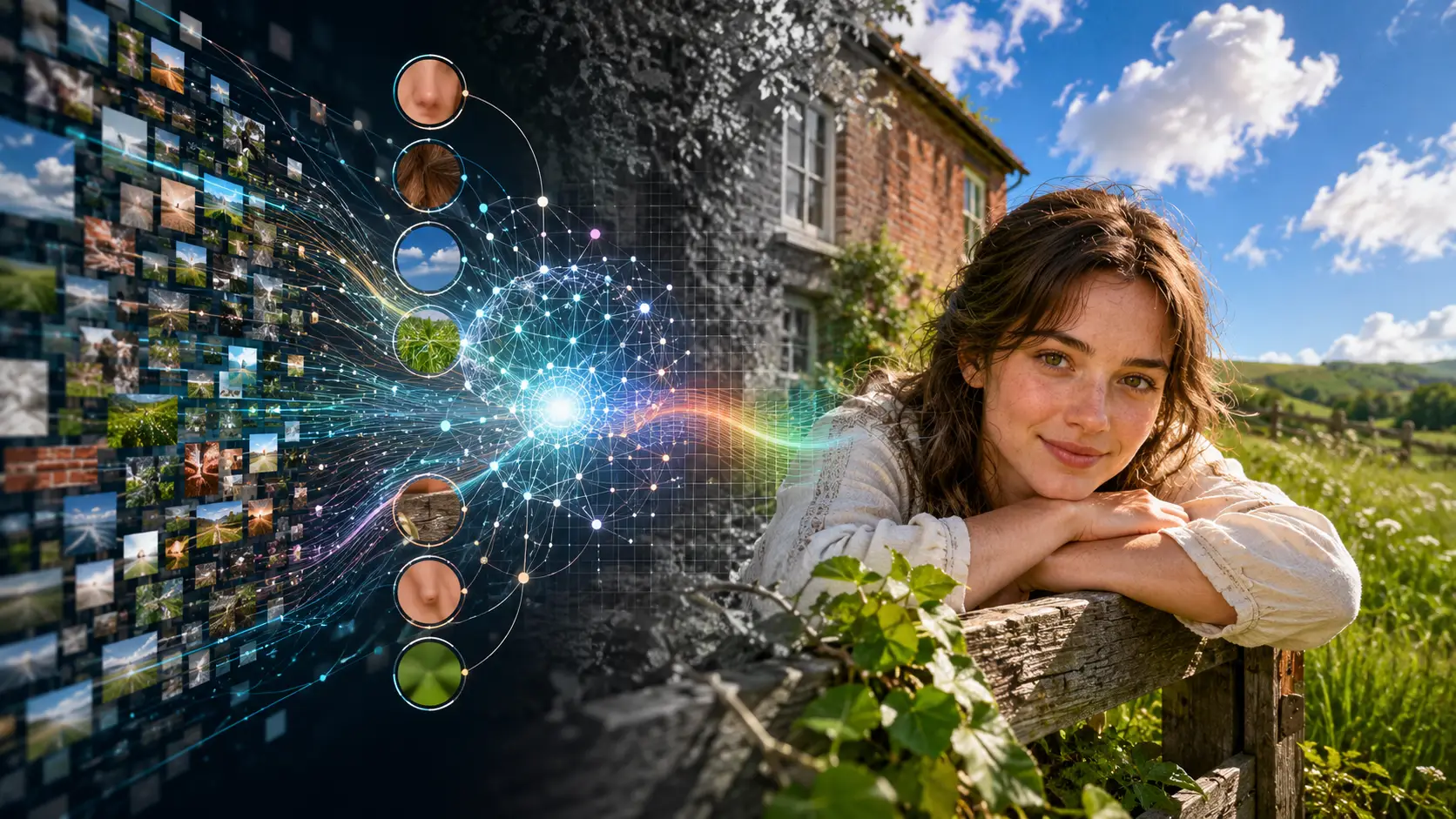
Some parts of an image are easier to colorize because their possible colors are more limited.
A sky can appear in many shades, but it is still more predictable than something like a painted car or a dress. The same is true for skin, grass, wood, and other familiar natural materials.
AI has stronger clues for these subjects because their appearance tends to follow recognizable patterns.
Subject | Why AI Often Has Better Clues |
|---|---|
Human skin | Natural skin tones fall within more recognizable color ranges than many artificial objects |
Sky | Common daylight, cloudy, and sunset colors follow familiar patterns |
Grass and leaves | Vegetation has strong associations with greens, browns, and seasonal tones |
Wood | Grain and texture help narrow the likely material and color range |
Brick | Texture and object recognition can suggest reddish, brown, or earthy tones |
Hair | Facial context and familiar hair patterns help narrow likely colors |
This is sometimes described as having a strong visual prior. In simple terms, the AI has seen enough similar examples to have a better idea of which colors are likely to fit.
But a better clue does not mean a guaranteed answer.
AI may generate a very believable skin tone, for example, without reproducing the exact person's complexion or the precise effect of the original lighting. Grass may look naturally green even if the real scene was dry, yellowed, or unusually dark.
So AI is often more convincing when the subject has a predictable natural color range, but the result is still an estimate rather than proof of the original color.
What Colors Does AI Basically Have to Guess?
Some objects give AI very few clues about their exact original color. A model might recognize a dress, a car, a wall, or a uniform with no problem. But recognizing the object does not automatically reveal what color that particular object was.
Take a dress as an example. AI may clearly understand that it is looking at a dress, yet still have no reliable way to tell whether it was red, green, blue, purple, or another color. The same problem appears with many human-made objects, including:
shirts and dresses
painted cars
walls and furniture
flags and logos
military uniforms
sports uniforms
decorative objects
These items can come in many different colors without changing their basic shape or texture. That leaves AI with fewer reliable clues.
In these cases, the model is often choosing the color that seems to fit the scene best, not recovering the exact historical color.
So a colorized photo can look perfectly convincing while still getting important details wrong. A car may look naturally blue even if it was red. A uniform may appear realistic but use the wrong shade.This is where the difference between plausible color and original color becomes especially important.
Does AI Ever Recover the Actual Original Color?
Sometimes, yes. An AI prediction can happen to match the original color, especially when the image contains strong contextual clues.
For example, AI may choose a natural skin tone, a familiar brick color, or a typical shade for vegetation and get surprisingly close to what was really there.
But there is an important limitation.
If the only evidence available is the black-and-white photograph itself, there is often no way to prove that the AI selected the exact original color.
It helps to think about color accuracy in three levels:
Type of Result | What It Means |
|---|---|
Visually plausible | The colors look natural and believable |
Contextually likely | The colors fit what is known about the object, setting, or scene |
Historically verified | Independent evidence confirms what the actual color was |
These three are not the same thing. A military uniform, for example, might look completely realistic in an AI-colorized photo. But unless historical records, surviving clothing, written descriptions, or another color reference confirms the shade, the result is still a prediction.
The same applies to cars, clothing, interiors, signs, and many other details. So AI can sometimes get the original color right, but a convincing result is not proof that it did. Historical accuracy requires evidence beyond how realistic the colorized photo looks.
What Can Help AI Get Closer to the Real Colors?
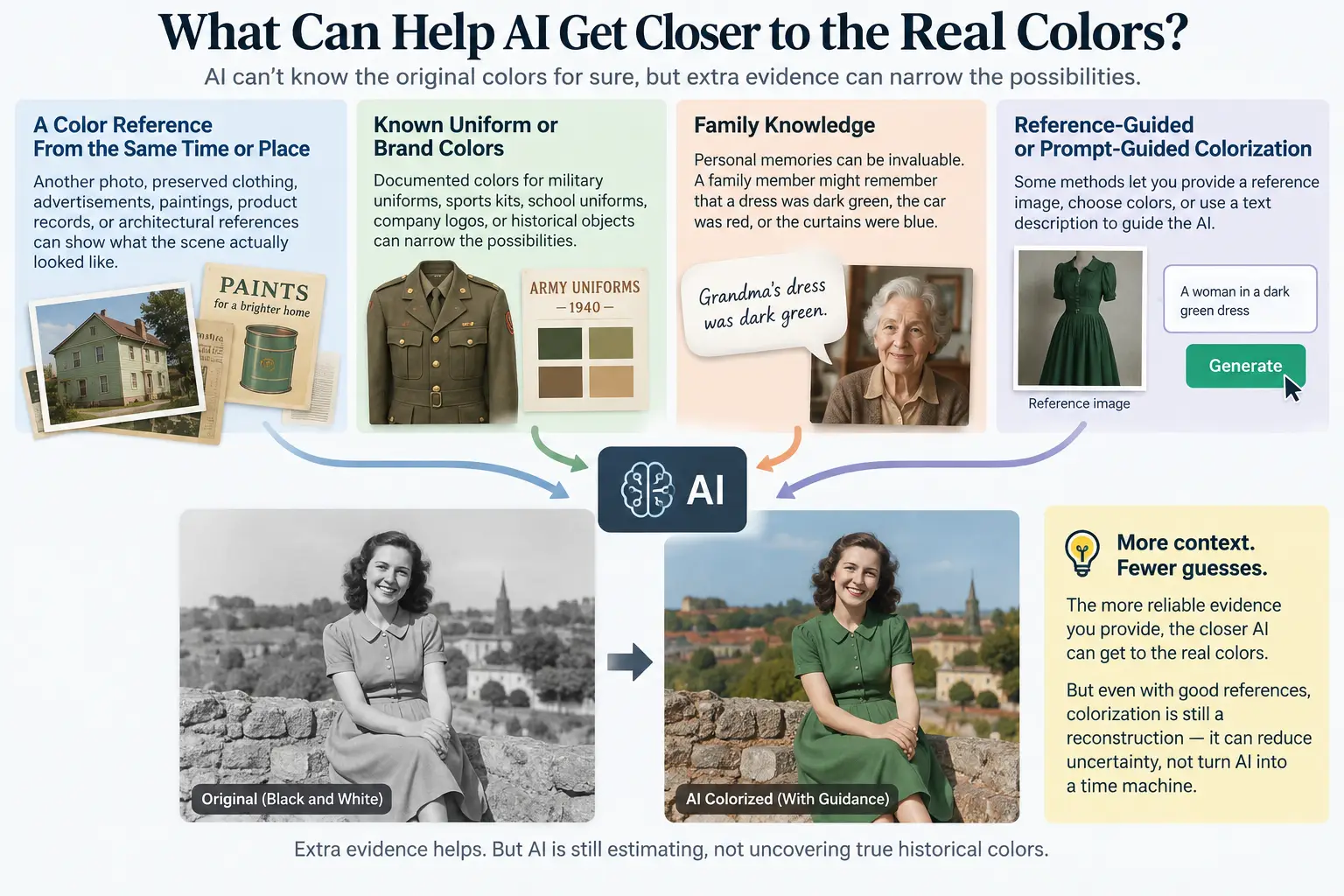
AI cannot recreate missing color information with certainty, but extra evidence can help narrow the possibilities.
A Color Reference From the Same Time or Place
One of the most useful clues is an external reference that shows what the scene, object, or material actually looked like.
That might be:
another color photograph
preserved clothing
old advertisements or catalogues
paintings
product records
architectural references
This kind of evidence gives the colorization process information that simply does not exist in the black-and-white photo itself.
For example, if another photograph shows the same building with pale green walls, that is far more useful than asking AI to guess the wall color from grayscale alone.
Known Uniform or Brand Colors
Documented colors can also narrow the possibilities.
If a photo contains a known military uniform, sports kit, school uniform, company logo, or historical object, reliable references may reveal the colors commonly associated with it.
Still, this should be treated carefully. Not every uniform, logo, or product always followed the standard color scheme, especially across different years, locations, or versions.
Family Knowledge
Sometimes the best clue does not come from a database at all.
A family member might remember that your grandmother's dress was dark green, the family car was red, or the curtains in an old home were blue.
AI cannot discover those personal facts from grayscale pixels. But once that information is provided, it can help guide the colorization toward something closer to the real scene.
Reference-Guided or Prompt-Guided Colorization
Some colorization methods can also accept extra guidance, such as a reference image, user-selected colors, or a text description. Research on user-guided and text-guided colorization shows how this additional information can give the model more control over ambiguous colors.
For example, telling a system that a dress was dark green gives it information it could never reliably infer from the black-and-white image alone.
The principle is simple: the more reliable context you provide, the less the AI has to guess.
But even with good references, colorization is still a reconstruction. Extra evidence can reduce uncertainty, but it cannot turn AI into a time machine.
Restore First or Colorize First? The Order Can Matter
If an old photo is reasonably clear, you may be able to colorize it directly. But when the image has heavy damage, fixing the most serious problems first can give the colorization model better visual clues to work with.
This is especially useful when a photo has:
deep scratches
heavy blur
strong noise
stains
severe fading
damaged or missing details
A practical workflow is:
Scan → Repair Major Damage → Restore Useful Detail → Colorize → Review Colors → Export
The key is to understand that photo restoration and photo colorization are different tasks.
Photo restore ai focuses on repairing or improving visible information, such as reducing damage, cleaning up scratches, or improving useful detail. Colorization comes afterward and adds colors that the model believes are plausible.
Restoration can therefore help when damage makes faces, objects, textures, or boundaries difficult to recognize. Cleaner visual information can make it easier for AI to interpret the scene before estimating its colors.
But restoration has limits too. If important information was completely destroyed or never captured in the photograph, AI cannot truly recover it. It may reconstruct a believable version, but that is not the same as restoring the exact missing detail.
For badly damaged photos, the safest rule is simple: repair what you reasonably can first, then colorize.
Can You Trust AI Colorization for Historical Photos?
AI colorization can be very useful, but how much you should trust the result depends on what you plan to do with it. For casual use, a believable colorized image may be more than enough. For historical research, documentaries, or archives, the standard needs to be much higher.
Use Case | Is AI Colorization Alone Enough? |
|---|---|
Personal family album | Usually fine for creative viewing |
Social media post | Usually fine if presented transparently |
Documentary | Verify historically important colors |
Museum or archive | Use reliable historical references |
Academic research | Never treat generated colors as primary evidence |
The key difference is between enjoying a historical image in color and treating those colors as historical facts.
If you are colorizing a family photo simply to make it feel more vivid, a plausible result may be perfectly useful. But if the exact color of a uniform, vehicle, flag, building, or object matters to the historical record, AI should not be the only source.
Those details should be checked against independent evidence such as photographs, records, preserved objects, catalogues, or documented color references.
A good rule to remember is:
A believable colorization can show us what the past might have looked like, not prove what it looked like.
That makes AI colorization valuable for interpretation and visualization, but not a substitute for historical evidence.
A Simple Way to Colorize an Old Photo With AI
You do not need editing experience to try AI photo colorization. A clear scan or photo of the original is usually enough to get started.
1. Start With the Best Version of the Photo
Use the clearest copy you have. Avoid screenshots, heavily compressed files, or photos taken at an angle if a better version is available. If the image is badly scratched or damaged, restoring the most important details first may help the colorization model understand the scene more accurately.
2. Upload the Black-and-White Photo
Open Betatum AI and upload the image you want to colorize. The AI analyzes the people, objects, textures, lighting, and surrounding scene before estimating colors that fit the photograph.
3. Let AI Generate a Color Version
The process is automatic. Depending on the image, you may see natural-looking skin tones, vegetation, skies, clothing, and other details appear in color. Remember that these are predicted colors, not necessarily the exact originals.
4. Review the Details That Matter Most
Pay extra attention to objects whose colors are difficult to infer, such as:
clothing
cars
walls
furniture
uniforms
signs and logos
If you already know an important color from family knowledge or a historical reference, compare the generated result with that information.
5. Save the Version You Prefer
Once the result looks natural, export the colorized image while keeping the original black-and-white photo as well. The goal is not always to recreate the past with perfect certainty. For many old family photos, a good AI colorization simply offers a believable new way to see the scene.
Does AI Really “Know” What Color an Old Photo Should Be?
Not in the human sense of knowing.
AI looks at the information still visible in the photograph, recognizes objects and patterns, uses the surrounding context, and compares those clues with visual relationships learned from large collections of color images. It then chooses colors that seem most likely to fit.
For some subjects, such as skin, vegetation, or sky, the clues can be relatively strong. For clothing, painted objects, uniforms, or historically specific details, the prediction may be much less certain.
That is why a colorized image can look remarkably realistic without being an exact reconstruction of the past.
If you want to see how those predictions look on your own photos, you can try an AI colorizer and compare the result with any references you already have.
That is what makes AI colorization fascinating: it does not uncover colors hidden inside an old photograph. It builds a believable version of the colors that might once have been there.