
How AI Can Create a Professional Profile Picture for You
By Maria · 2026-07-05
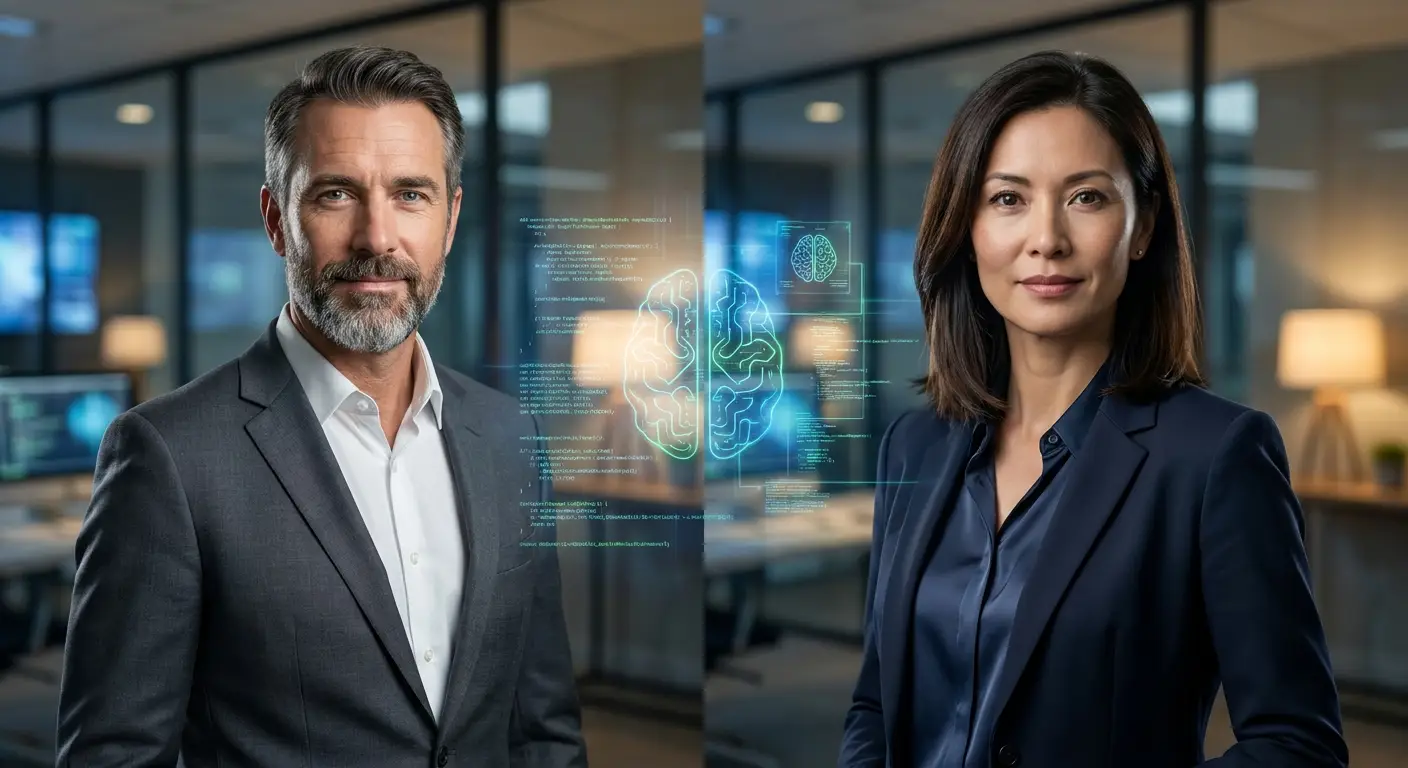
A professional profile picture can shape first impressions online and strengthen your personal brand. With AI headshot generators, you can turn ordinary photos into high‑quality, studio‑style portraits in minutes. This guide explains how AI profile picture technology works, its key benefits, and how to create a polished headshot for LinkedIn, resumes, and professional platforms without needing a photographer.
Your profile picture is often the first impression people get when they discover you online, whether on LinkedIn, a resume, a portfolio, or a business platform. In today’s digital-first world, a professional profile picture is more than just a photo, it reflects your credibility, personality, and confidence. A strong visual presence can instantly influence how employers, clients, or connections perceive you. This is why many professionals now focus on creating high-quality images that represent them in the best possible way.
Traditionally, getting a professional headshot required hiring a photographer, booking a studio, and spending both time and money. However, AI has completely changed this process. With an AI headshot generator or AI portrait generator, you can now create realistic, studio-quality images in minutes. These tools produce AI-generated headshots that look natural and polished, making them ideal for LinkedIn profiles, resumes, and business branding. Ready to upgrade your online presence? Try an AI headshot generator today and create a professional profile picture that helps you stand out instantly.
Summary
Your profile picture is often the first impression people see online, and it plays an important role in shaping trust, credibility, and personal branding in today’s digital world. This article explains how AI can create professional profile pictures using tools like AI headshot generators and AI portrait generators, which transform simple photos into high-quality, studio-style images within minutes. It covers how the technology works, its key benefits, best use cases for platforms like LinkedIn and resumes, and a step-by-step guide to creating your own AI profile picture. You will also learn about important AI features, tips for choosing the right photos, differences between AI and traditional photography, common mistakes to avoid, and how to make your final image look more professional. Overall, this guide shows how AI makes it fast, easy, and affordable to build a strong and polished online presence
Understanding AI Profile Picture Technology
AI profile picture technology works by using advanced algorithms to analyze and understand human facial features in detail. When you upload a photo, the system detects key elements such as facial structure, eyes, nose, expression, lighting, and symmetry. This data is then processed to create a more polished and professional version of the image. Machine learning plays a major role in this process, as AI models are trained on thousands or even millions of professional portraits to learn what makes a high-quality headshot look natural, balanced, and visually appealing.
Over time, these models improve their accuracy and ability to generate realistic results. Unlike traditional photography, which depends on cameras, lighting setups, and photographers, AI-generated profile pictures are created digitally through data processing. This means users can instantly produce multiple professional-looking headshots without scheduling a photoshoot, while still achieving results that closely resemble studio-quality photography.
Benefits of Having a High-Quality Profile Photo
A high-quality profile photo plays a crucial role in shaping how others perceive you online. It not only improves your visual identity but also strengthens your overall professional presence across different platforms.
Build trust and credibility
A professional profile picture helps you appear more reliable, approachable, and confident in both personal and professional settings.
Strengthen personal branding
A consistent, high-quality image supports your personal brand and makes you more recognizable across platforms.
Improve LinkedIn and professional networking profiles
A strong profile photo increases profile views and engagement on platforms like LinkedIn and other networking sites.
Enhance job applications and resumes
Including a polished headshot can make your resume or portfolio look more professional and memorable.
Create a strong first impression on clients and employers
A high-quality image helps you stand out instantly and leaves a positive impression before any conversation begins.

Best Uses for AI Professional Profile Pictures
AI-generated professional profile pictures can be used across many platforms to build a strong and consistent online presence. Here are the most important uses:
LinkedIn: A professional AI headshot helps you stand out on LinkedIn, increases profile credibility, and improves networking opportunities.
Resume: Adding a polished profile photo to your resume can make it more memorable and give employers a stronger first impression.
Company Website: Using a consistent professional image on your company profile or team page builds trust and presents a unified brand identity.
Portfolio: A high-quality headshot enhances your portfolio by adding a personal touch and making your work presentation more professional.
Freelance Platforms: On platforms like Upwork or Fiverr, a strong profile picture increases client trust and improves your chances of getting hired.
Email Signature: Including a professional photo in your email signature helps personalize communication and makes your emails feel more credible.
Social Media Profiles: A consistent, professional image across social media platforms strengthens your personal brand and improves recognition.
Step-by-Step Guide to Creating a Professional Profile Picture with AI
Creating a professional profile picture with AI is now simple with tools like Betatum AI , which allows users to generate high-quality, studio-style headshots in just a few clicks. The process is beginner-friendly and designed for anyone who wants to improve their LinkedIn, resume, or personal branding image without using a photographer.
First, you upload a clear and recent photo of yourself on Betatum so the AI can analyze your facial features accurately. Next, you choose your preferred style such as corporate, modern, or business professional. After that, the platform uses AI technology to enhance lighting, correct facial details, and generate multiple polished versions of your profile picture. Finally, you can review the results, select your favorite image, and download it for use across LinkedIn, resumes, portfolios, or social media profiles.
With Betatum, the entire process takes only a few minutes, making it an easy and efficient way to create a professional AI-generated profile picture that improves your online presence instantly.
Key AI Features That Improve Profile Pictures
AI-powered tools use advanced machine learning and image processing techniques to turn ordinary photos into high-quality professional headshots. These features go beyond simple editing and carefully enhance lighting, facial details, and composition to create realistic, studio-level profile pictures that are suitable for business and personal branding.
Automatic background removal
AI automatically identifies the subject in the image and separates it from the background with high precision. It removes distracting or messy backgrounds and replaces them with clean, professional, or studio-style environments. This helps the focus stay entirely on the person, making the profile picture look more polished and professional.
Professional lighting simulation
Lighting is one of the most important elements of a good portrait. AI analyzes the image and adjusts brightness, contrast, shadows, and highlights to simulate professional studio lighting. This creates a balanced and flattering look, even if the original photo was taken in poor lighting conditions.
Skin tone correction
AI carefully adjusts skin tones to fix uneven lighting, color imbalance, or dullness. The goal is not to change your natural appearance but to enhance it subtly, making the skin look smooth, healthy, and naturally lit while keeping authenticity intact.
Facial detail enhancement
This feature improves fine facial details such as eyes, eyebrows, jawline, and overall expression. AI sharpens important areas while avoiding over-editing, ensuring the face still looks natural but more defined, clear, and professional.
Image upscaling and sharpening
Low-quality or small images are enhanced into high-resolution versions using AI upscaling technology. This process adds missing details, reduces blur, and improves overall sharpness so the final headshot looks clear and suitable for professional platforms.
Outfit and clothing generation
Some advanced AI tools can enhance or even generate professional clothing styles, such as suits, formal shirts, or business outfits. This allows users to present themselves in a more formal and industry-appropriate way without needing a wardrobe change or photoshoot.
Pose optimization
AI can subtly adjust head angle, posture, and body positioning to create a more confident and natural pose. Small improvements in alignment can significantly enhance how professional and approachable the final profile picture appears.
Studio-quality portrait effects
Final finishing effects like depth of field, background blur (bokeh), and soft lighting are added to replicate real studio photography. These effects help the subject stand out and give the image a high-end, professional portrait look.
How to Choose the Best Photos for AI Processing
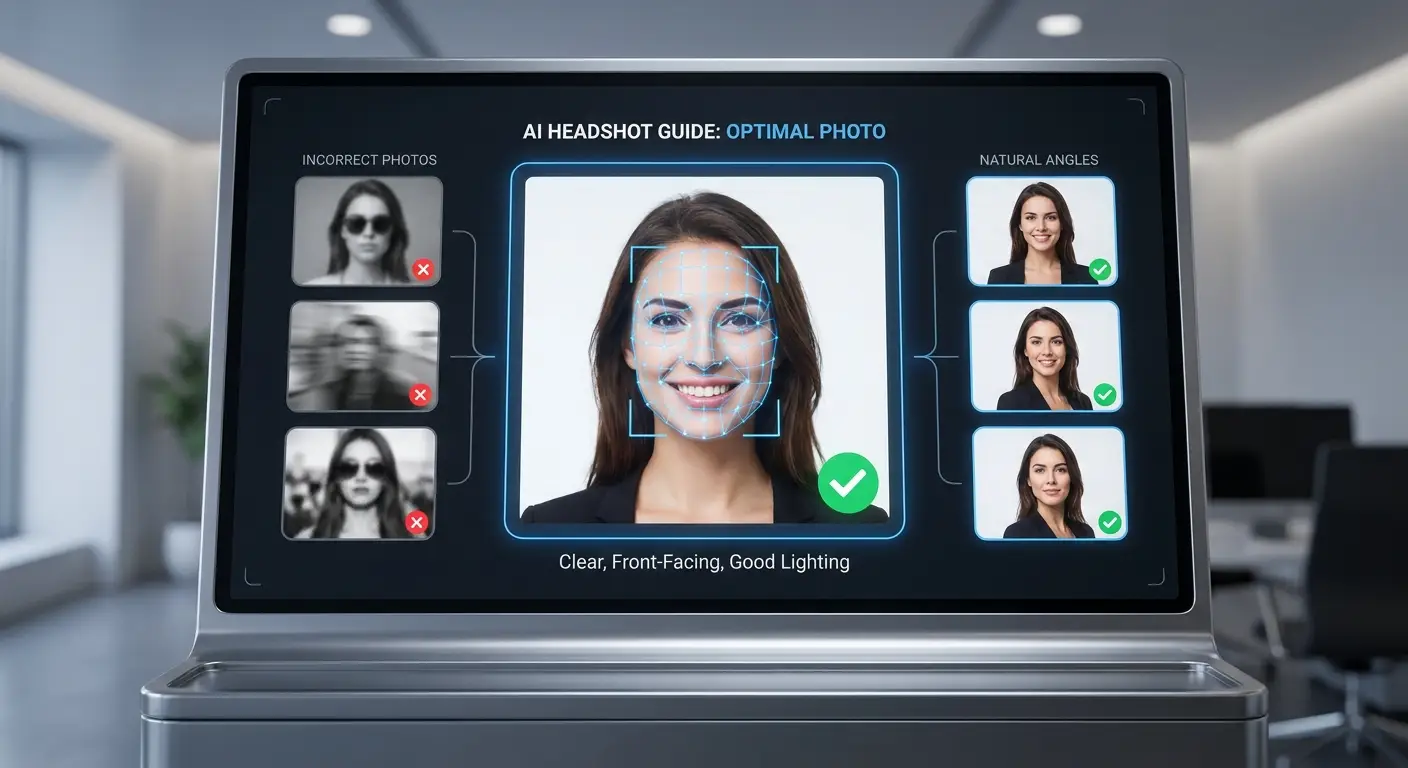
Choosing the right photos is essential for getting high-quality results from any AI headshot generator. The better the input image, the more realistic and professional your final AI-generated profile picture will look.
Use clear and high-resolution images
High-quality images help AI detect facial details more accurately and produce sharper, more realistic results.
Ensure proper facial visibility
Make sure your face is fully visible, well-lit, and not covered by shadows, hair, or objects.
Upload multiple angles
Providing different angles helps AI understand your facial structure better and generate more natural variations.
Avoid heavy filters and sunglasses
Filters, glasses, or accessories can confuse the AI and reduce the accuracy of the generated headshot.
Use recent photos
Recent images ensure the AI creates a profile picture that truly reflects your current appearance.
Follow platform-specific requirements
Each AI tool may have its own guidelines, so following them carefully ensures the best possible output quality.
AI Profile Pictures vs Traditional Photography
Choosing between AI-generated profile pictures and traditional photography depends on your needs, budget, and time. Both options can produce professional results, but they differ in cost, convenience, and flexibility.
Feature | AI Profile Pictures | Traditional Photography |
|---|---|---|
Cost | Low cost or free options available | Expensive due to photographer and studio fees |
Time | Generated in minutes | Requires scheduling and photo session |
Convenience | Can be done online anytime | Needs physical presence at a studio |
Editing | Automatic AI enhancements | Manual professional editing required |
Variety | Multiple styles generated instantly | Limited to session setup |
Realism | Highly realistic but AI-generated | Fully real camera-captured images |
Flexibility | Easy to regenerate or modify | Requires reshooting for changes |
Accessibility | Available to anyone with a device | Limited by location and availability |
How to Make Your AI Profile Picture Look More Professional
Creating a professional AI-generated profile picture is not just about using the right tool—it’s also about making smart choices that improve your final result. Small details can significantly impact how polished and credible your image looks.
Match the image to your industry
Choose a style that fits your profession, such as formal for corporate roles or slightly creative for design and tech fields.
Use clean and simple backgrounds
A minimal background keeps the focus on your face and makes the profile picture look more professional.
Maintain natural facial expressions
A slight smile or neutral expression works best to appear approachable and confident.
Choose professional attire
Wear or generate clothing that matches your industry, such as suits or business-casual outfits.
Keep edits realistic
Avoid over-editing; the goal is enhancement, not making the image look artificial.
Ensure consistent personal branding
Use the same style across platforms like LinkedIn, resumes, and portfolios to build a strong and recognizable identity.
Common Mistakes to Avoid When Creating AI Profile Pictures
A common mistake when creating AI profile pictures is over-editing the image, which can make it look unnatural and reduce trust. Another issue is unrealistic facial changes, where the AI alters key features too much, causing the result to no longer resemble the real person. Poor source images also lead to weak results because blurry or low-quality inputs limit AI accuracy. Many users also apply excessive background effects, which distract from the face and reduce professionalism. Choosing the wrong clothing style can make the image unsuitable for professional platforms like LinkedIn or resumes. Finally, inconsistent branding across different platforms weakens your online identity and makes it harder for people to recognize you.
Conclusion
AI-generated profile pictures have become a fast, affordable, and highly effective way to create professional headshots for online platforms. The key takeaways are that AI can significantly enhance image quality, improve lighting and facial details, and help you build a strong personal brand without the need for traditional photography. These images are best used for professional purposes such as LinkedIn, resumes, portfolios, and business profiles, where first impressions matter most. However, for the best results, it’s important to use high-quality source images, avoid over-editing, and maintain consistency in your branding across all platforms. If you are looking to upgrade your online presence, the next step is simple. start using an AI headshot generator today and create a polished, professional profile picture that truly represents you.