
Halloween Face Swap Ideas to Try With Your Friends
By Maria · 2026-10-26
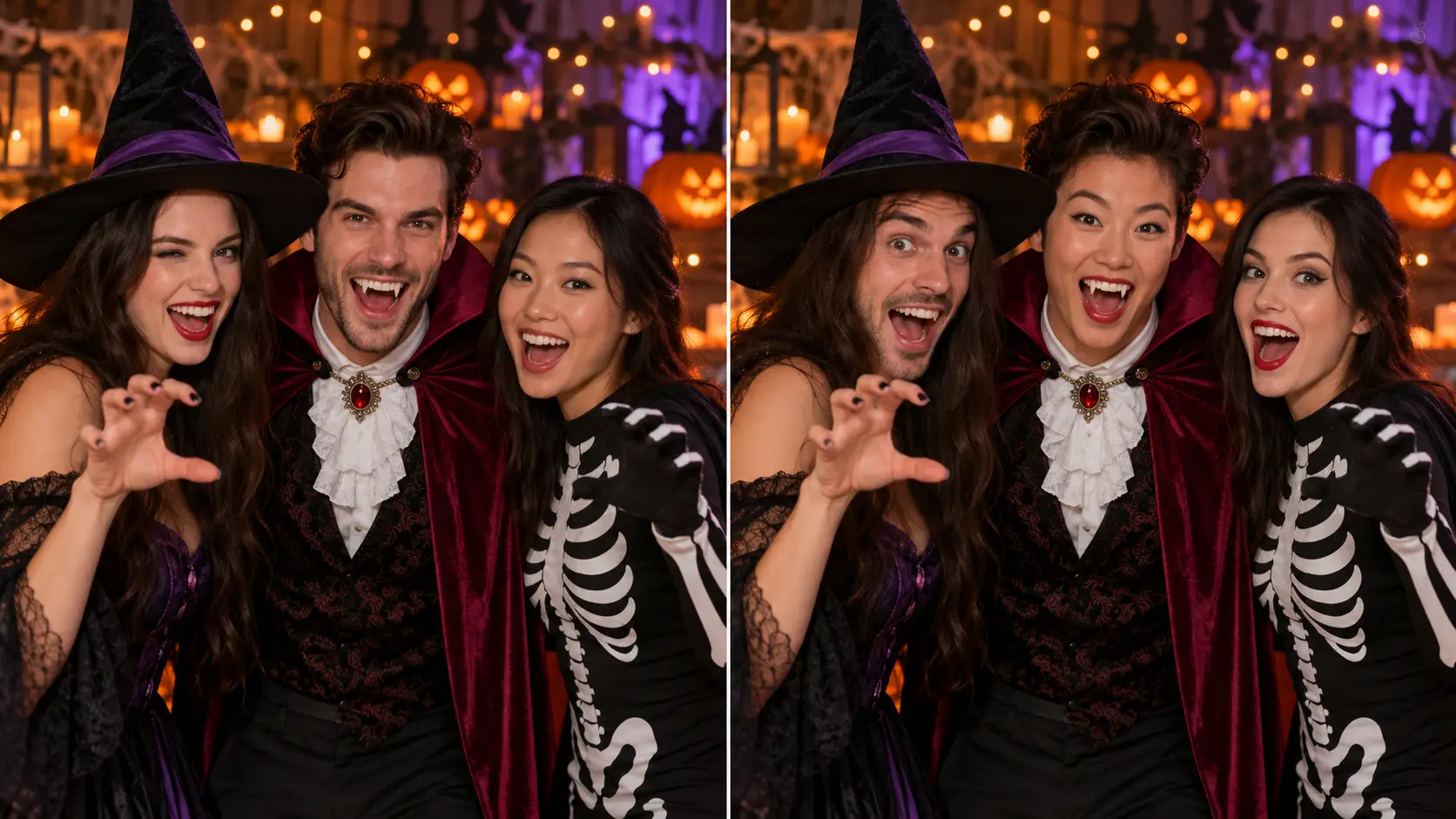
Halloween face swap ideas for your whole crew. Try vampire portraits, horror posters, and spooky group photos with practical tips for convincing results.
Picture your friend group as a vampire family posing for a formal portrait. Or a ghost-hunting team whose bravest member suddenly looks terrified. With the right photo, you could even become the cast of a fictional horror movie, with your best friend playing the villain.
These Halloween face swap ideas start with a simple edit: placing someone’s face into an existing image or video. You’ll need a suitable Halloween image to swap faces into, because face swapping alone doesn’t create the costumes, props, or spooky setting.
Below, you’ll find practical ideas to try with your friends and one simple workflow to turn your chosen scene into a Halloween photo worth sharing in the group chat.
summary
Explore 10 Halloween face swap ideas that put your friends inside spooky portraits and fictional horror scenes.
Learn which photos to choose, how to make the swap, and what to check before sharing.
Pick a theme, from a vampire family to a zombie band.
Follow a simple photo workflow with Betatum.
Fix common face swap problems before sharing your creation.
10 Halloween Face Swap Ideas for Your Friend Group
The best Halloween face swap ideas give everyone a part to play. Your quietest friend could become the head of a vampire family, while the loudest ends up looking terrified outside a haunted house. Choose a scene that suits your group’s sense of humor, then find a target image with the costumes, setting, and visible faces you need.
1. Turn Your Group Into a Vampire Family
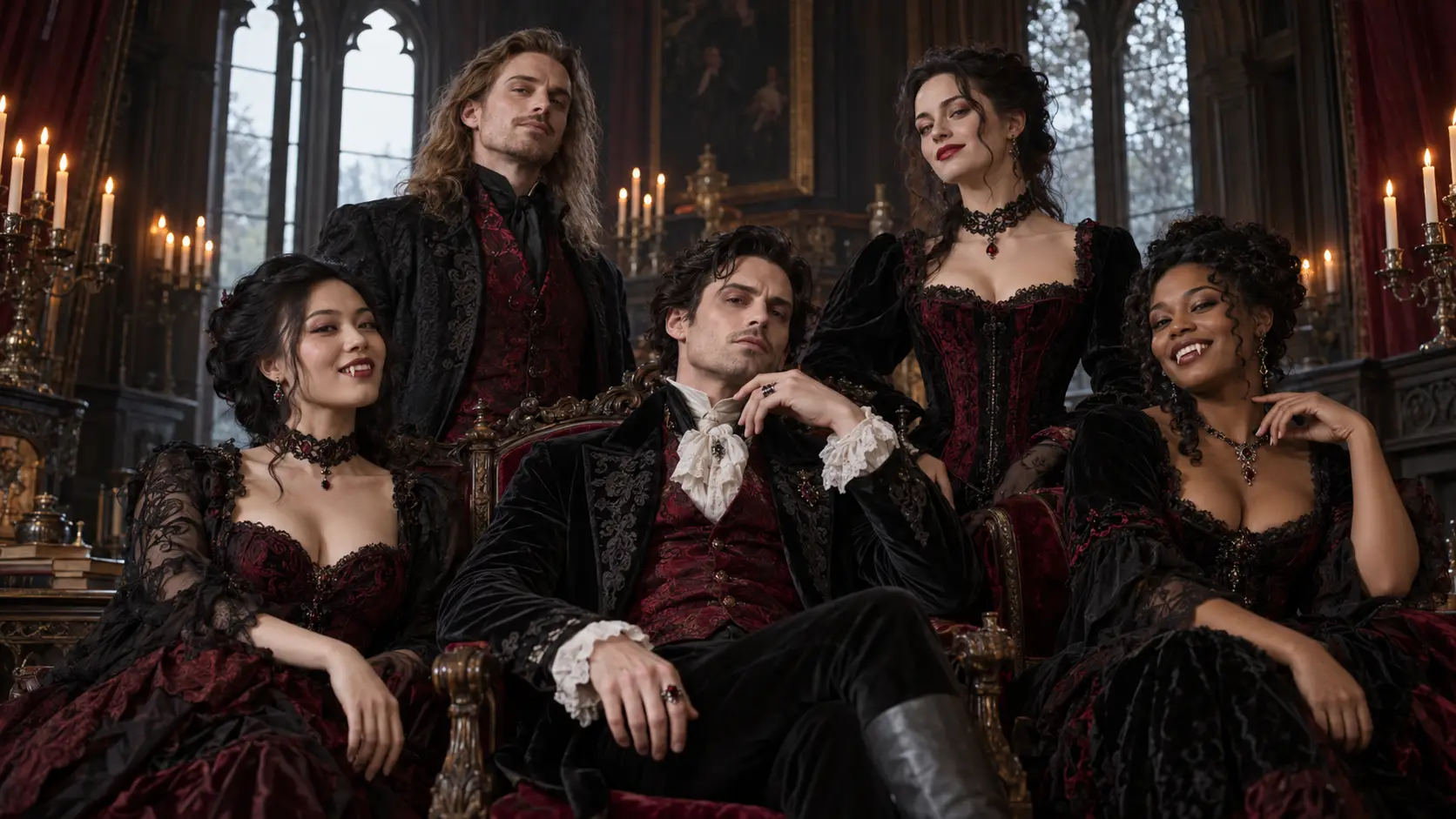
Every friend group has someone who would take being a vampire far too seriously. Give them the central seat in a formal portrait, surrounded by friends in dark clothing against a gothic backdrop. Look for a target photo with space between people and fully visible faces. The outfits and setting come from that image. After swapping, check whether any fangs or dramatic makeup still look convincing around the new faces.
2. Give Everyone a Role in a Fictional Horror Movie Poster
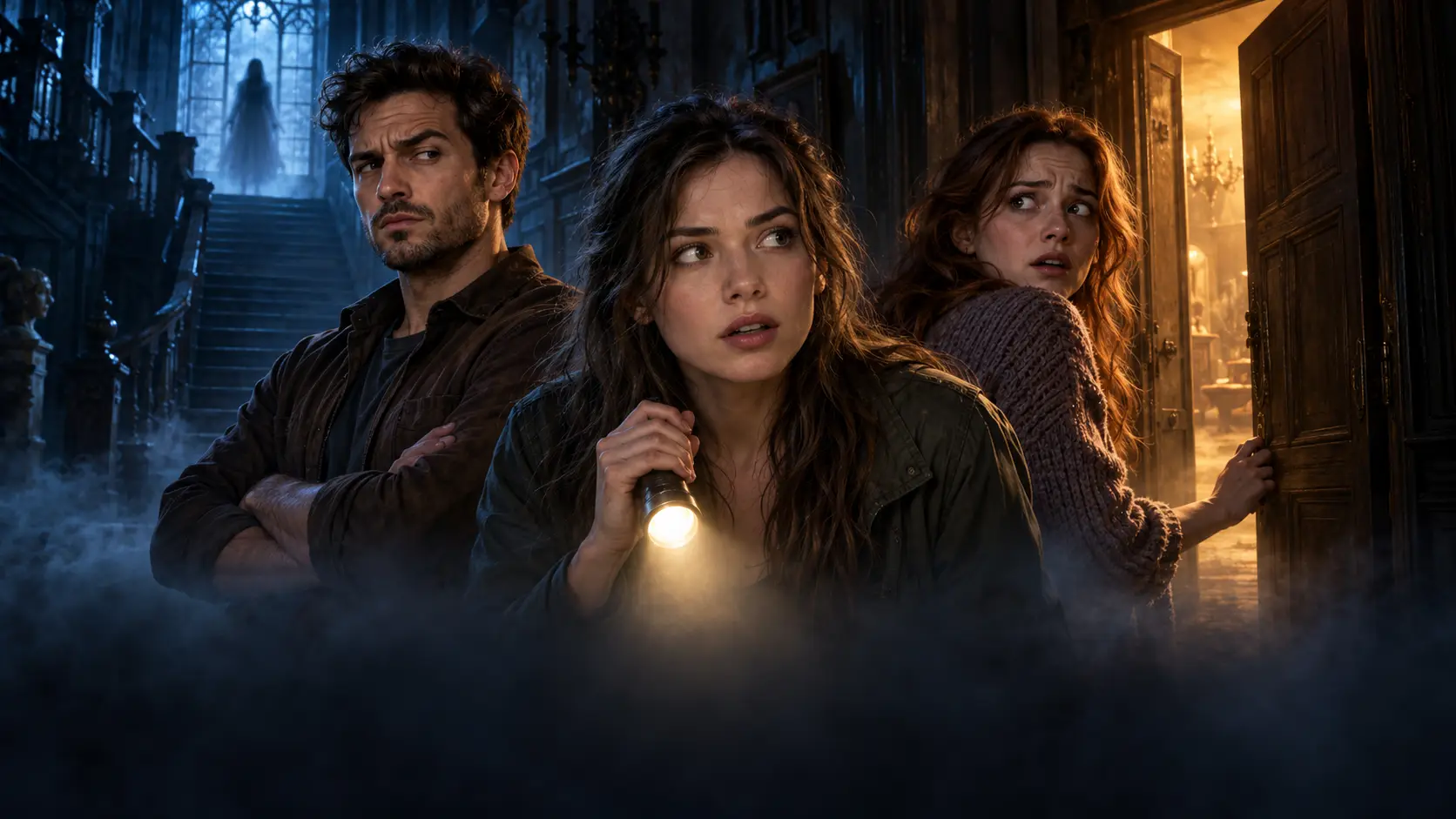
Cast your friends according to how they would actually behave in a horror movie: the skeptic, the person investigating every noise, and the one already looking for the exit. Choose an original poster design or a licensed template with a visible face for each role. Favor larger portraits over tiny faces buried in shadows. Add your fictional movie title and cast names separately in a design editor once the swaps are finished.
3. Build a Ghost Hunting Team That Looks Completely Unprepared
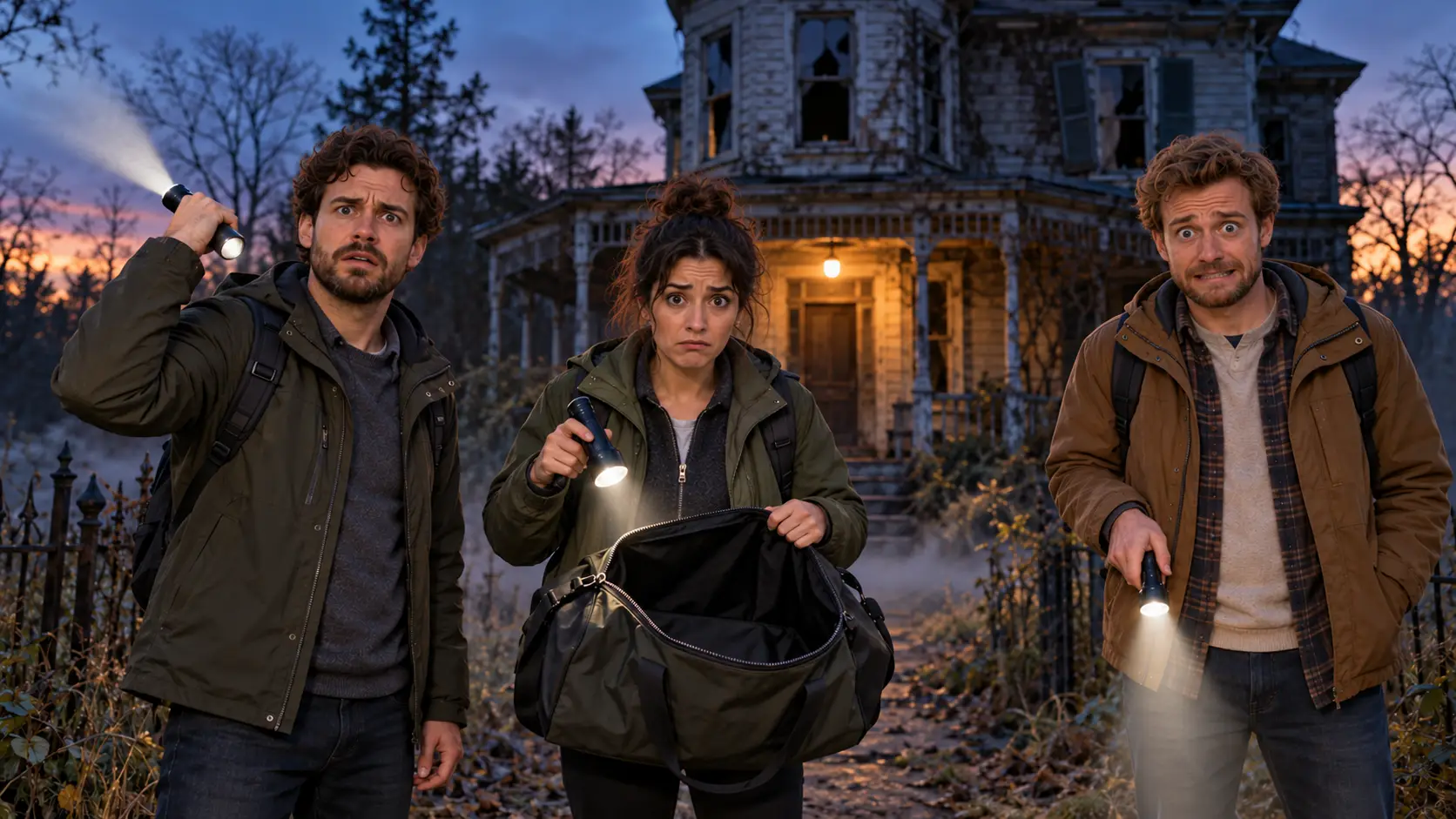
Your team has three flashlights, an empty equipment bag, and absolutely no plan. Picture your friends in practical jackets outside a spooky building, looking wildly unqualified for the job. Find a target image where the humor comes from the props and situation, perhaps with someone pointing a flashlight in entirely the wrong direction. Choose clearly lit, uncovered faces rather than helmets, masks, or deep shadows that hide the people you want to swap.
4. Swap Faces in Your Real Halloween Costume Photo
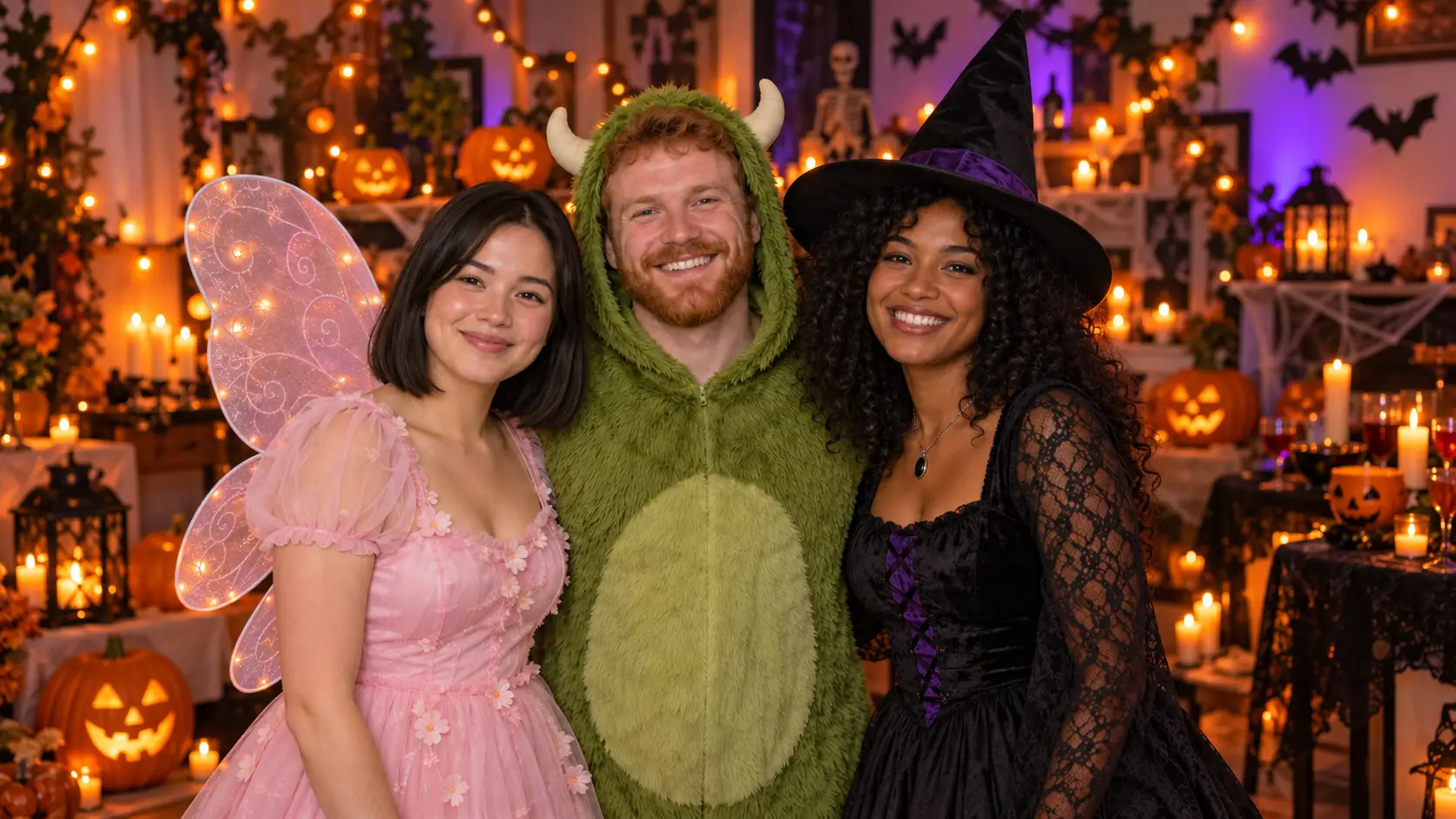
Already have a Halloween group photo you all love? Exchange faces between costumes so the friend dressed as a fairy ends up in the monster outfit, while your most intimidating character gets the sweetest look. Use a photo your group owns, with everyone happy to take part. Pick a shot with visible faces at fairly similar angles. Masks, elaborate face paint, and sharply turned heads can make a convincing swap harder.
5. Put Your Friends in a Haunted Family Portrait
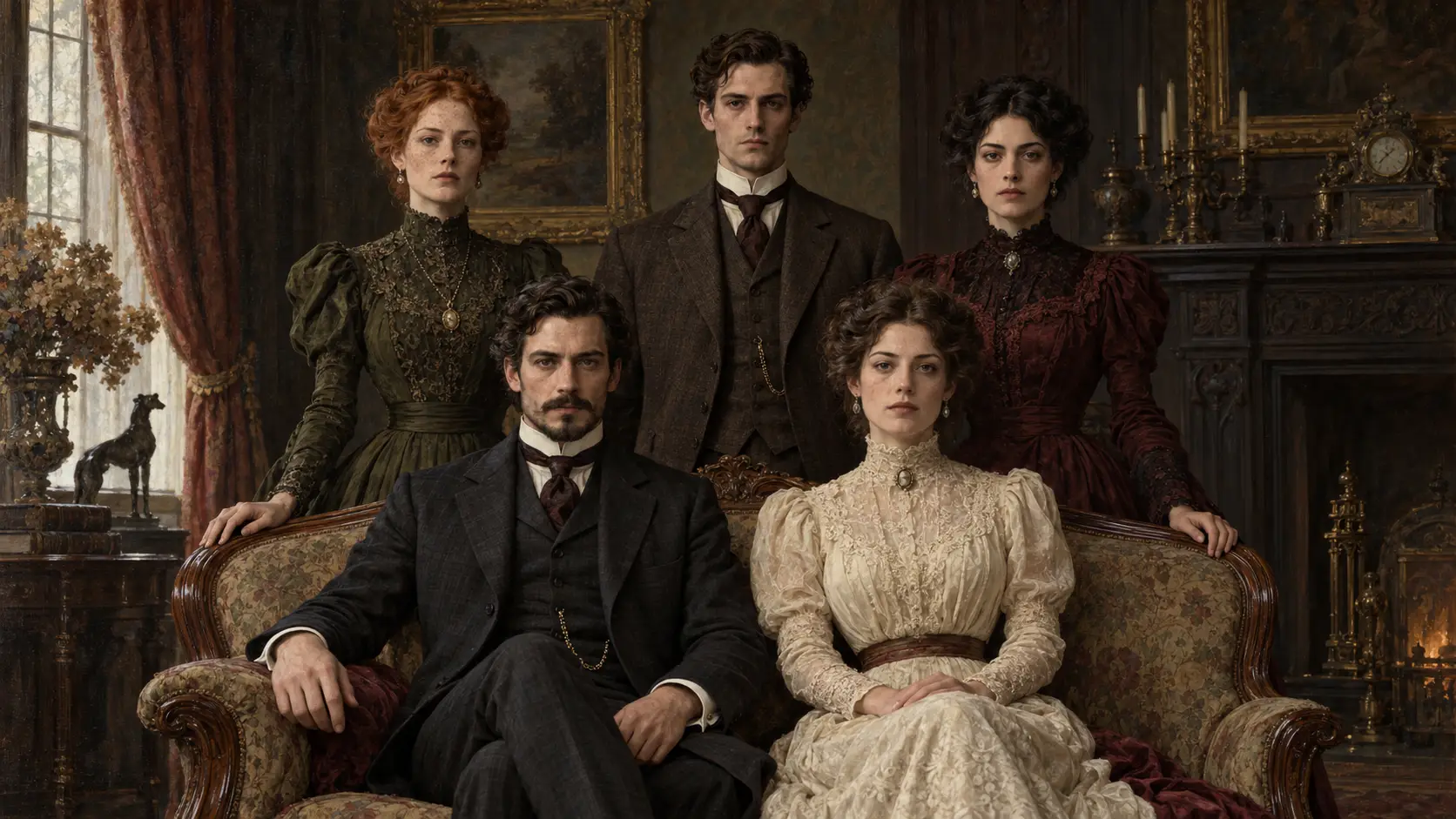
Imagine discovering your entire friend group in a mansion portrait painted a century before you were born. Nobody smiles, everyone sits perfectly still, and the room feels strangely familiar. Look for an antique portrait with period clothing, formal poses, and recognizable facial detail. Choose faded colors rather than a heavily cracked or blurred image. This scene needs no fangs or monster features; the unsettling effect comes from its eerie stillness and antique surroundings.
6. Make a Witch and Wizard Portrait for Your Closest Friends
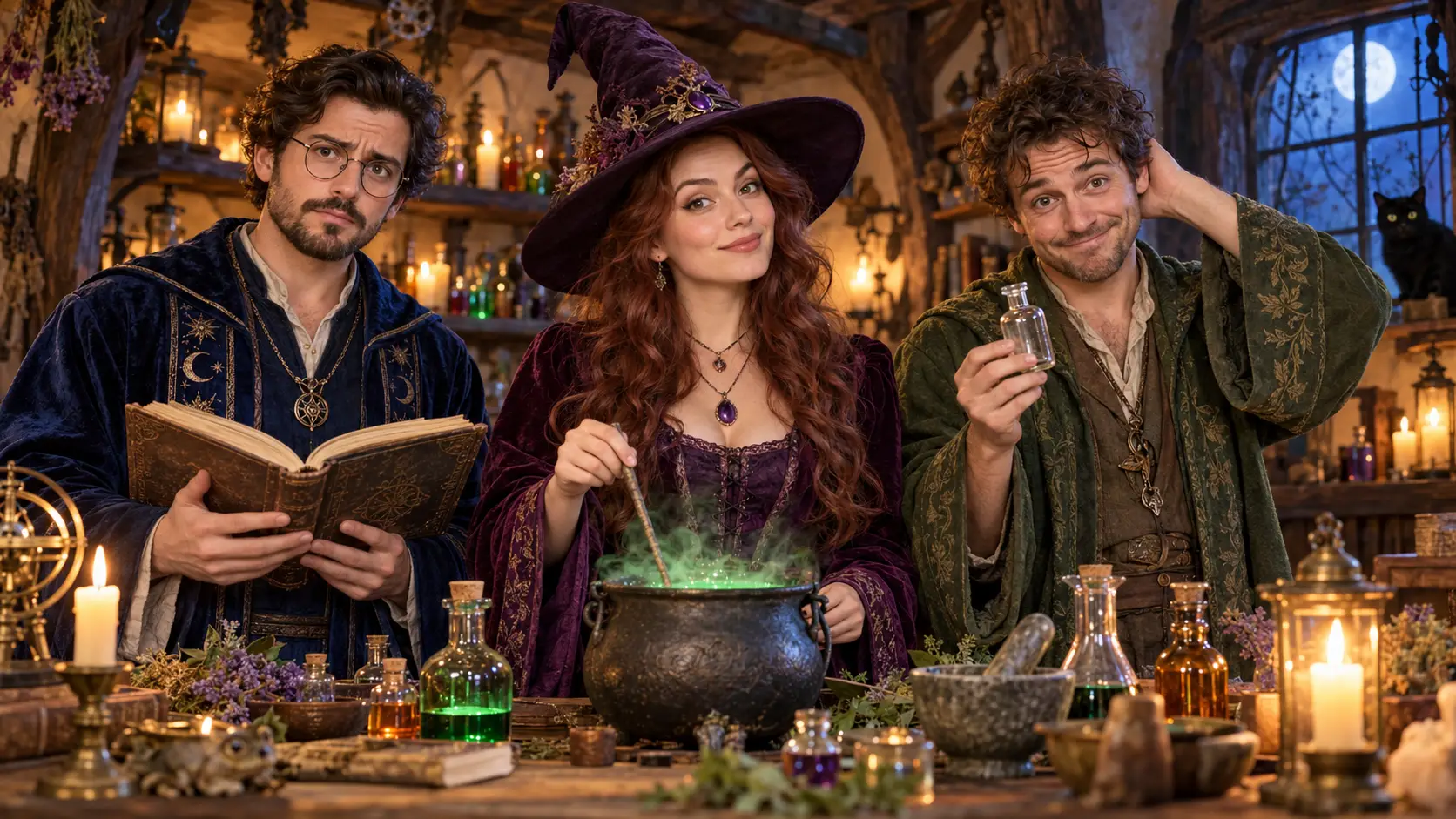
Gather your closest friends around a bubbling potion table, with one looking scholarly and another clearly responsible for whatever just went wrong. A small group outside a crooked cottage works beautifully too. Find a target that already includes the robes, magical props, and setting you want. Check hat brims carefully: eyes and foreheads should remain visible. Face swapping does not automatically add hats, restyle hair, or create magical effects.
7. Create a Zombie Band’s First Album Cover
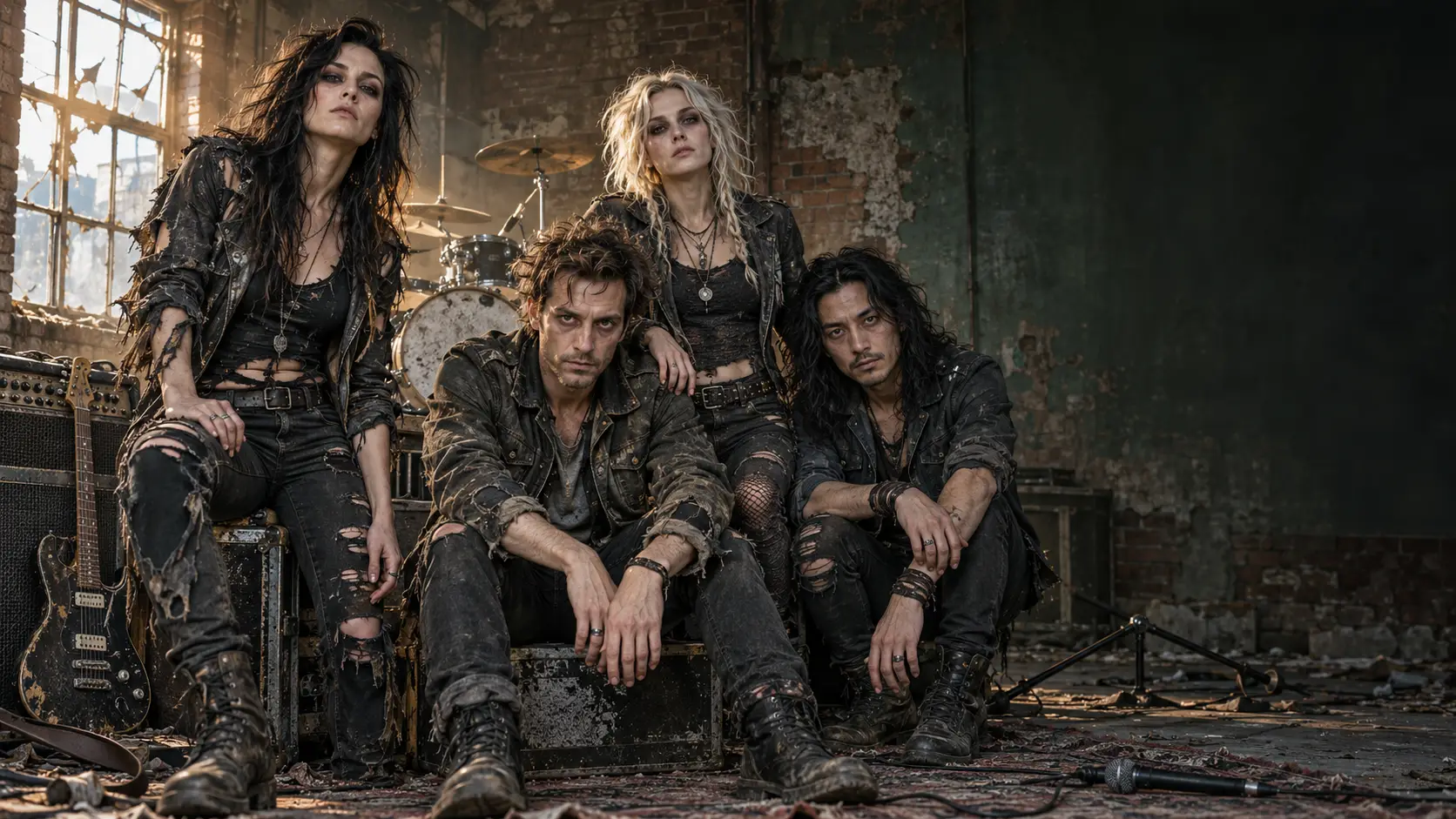
Your friends have formed a band, and apparently their first rehearsal took place after the apocalypse. Picture torn stage outfits, abandoned instruments, and the serious expressions of musicians promoting an album nobody asked for. Choose a band portrait with Halloween styling already in place. Keep facial features recognizable rather than buried under wounds or heavy prosthetics. Leave some empty space in the composition so you can add a fictional band name afterward.
8. Pair Up for a Creepy Halloween Prom Photo
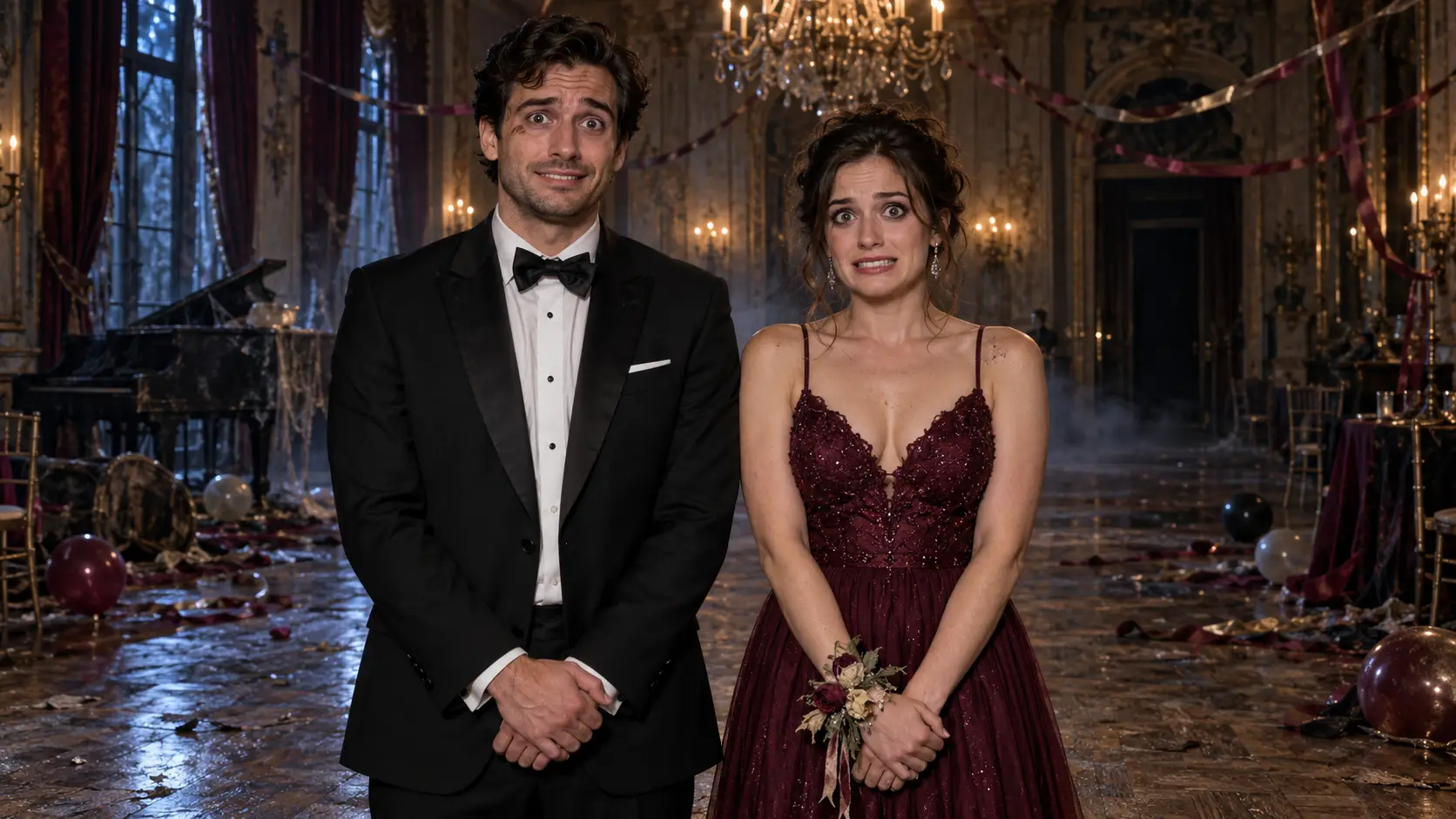
For two friends or a couple, try the most awkward prom photo imaginable: formal outfits, stiff smiles, and a ballroom that definitely should not be open after midnight. Look for a target with an overly posed stance, perhaps beside dusty curtains or abandoned party decorations. Choose two clearly separated faces whose angles resemble your source portraits. The joke is that you both dressed beautifully and immediately regretted accepting the invitation.
9. Give Everyone Their Own Spooky Character Card
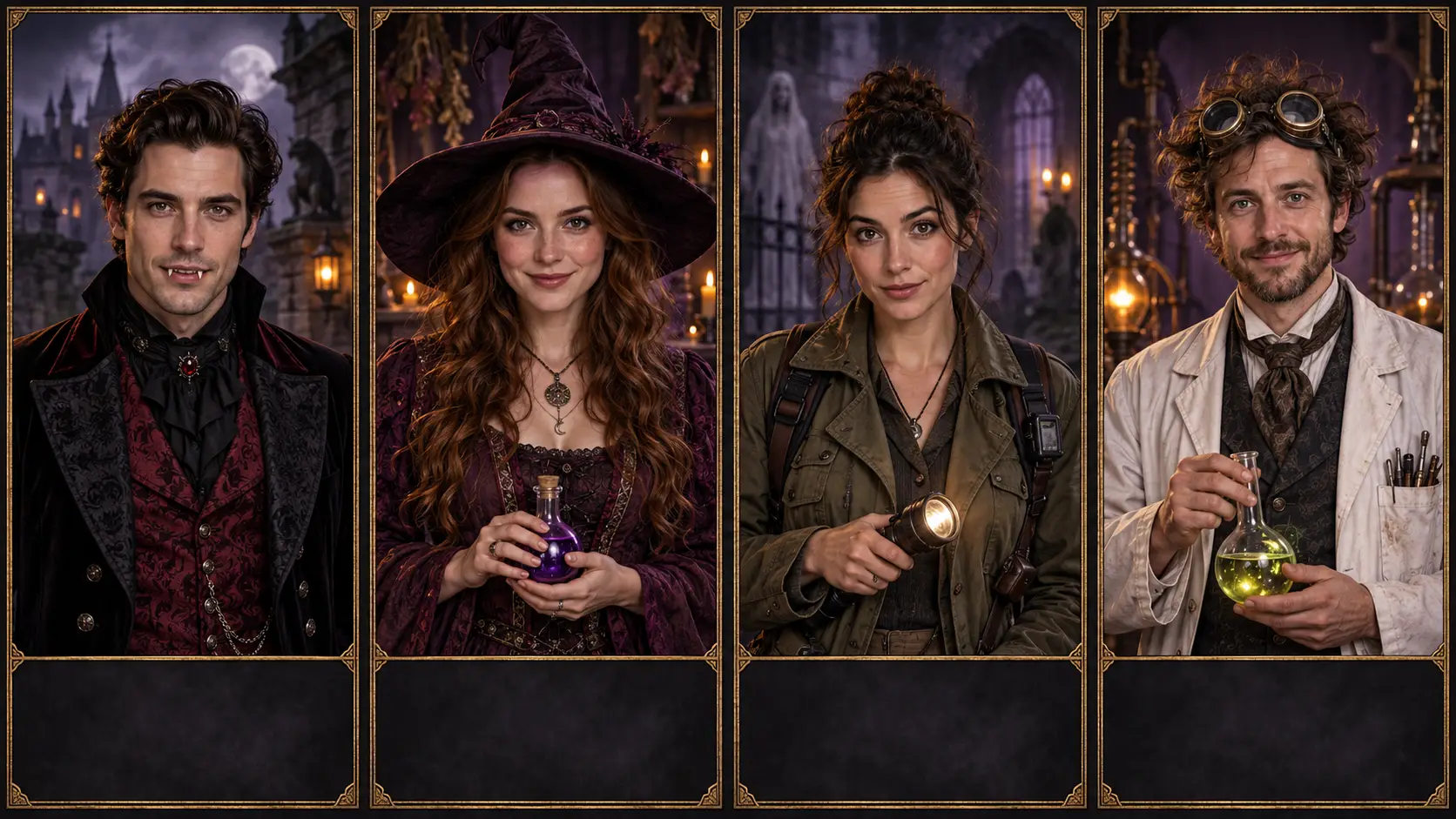
Some AI Halloween photos work better as a collection than a single crowded scene. Give each friend a separate character portrait: a vampire, a witch, a ghost hunter, or a mad scientist. Choose target images with similar framing, face size, and background colors so the finished cards belong together. Keep space for names or imaginary abilities added later. This is a series of individual swaps, with one image for each friend.
10. Recreate the Same Photo as Humans and Halloween Characters
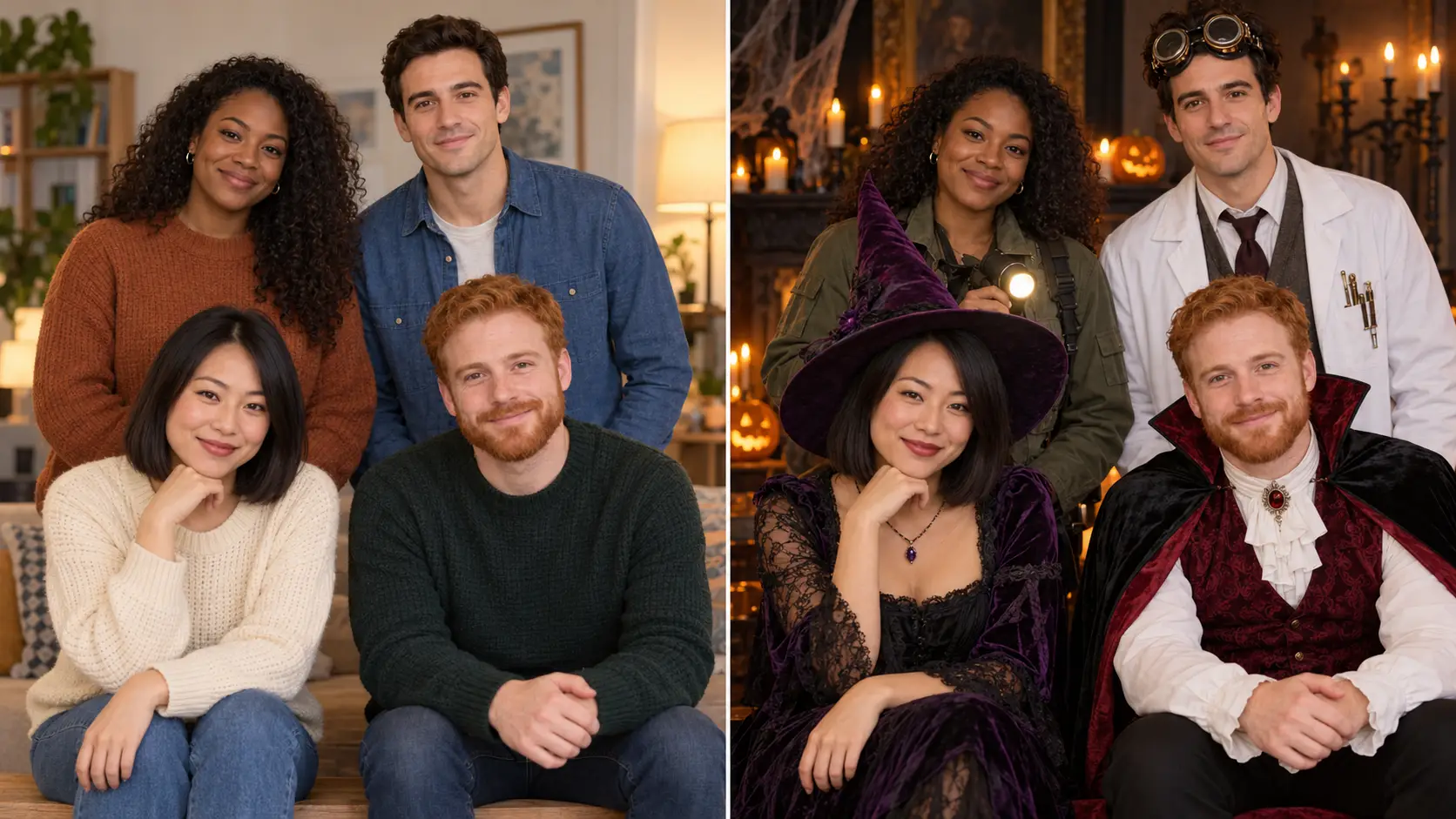
Among Halloween group photo ideas, a familiar lineup with an unfamiliar cast makes a fun reveal. Place your real group photo beside a Halloween version, keeping everyone in roughly the same position. Find a target image with the same number of people and a similar arrangement, including who sits or stands. Face swapping does not automatically recreate your original composition. Matching the layout beforehand helps viewers instantly recognize who became which character.
How to Make a Halloween Face Swap With Betatum
Once you have a Halloween scene in mind, choose the photos that will bring your friends into it. A clear portrait and a suitable target image give you a better starting point than a complicated scene with hidden faces. Follow these four steps, then check everyone’s result before sharing.
1. Choose Your Halloween Target Image
Your target image is the Halloween photo that receives the new faces. It provides the costumes, poses, props, and background, so choose an image you own or have permission to use that already looks close to your intended result.
Check that it has the right number of people, visible faces, and enough space between them. Favor even lighting over deep shadows across the eyes or mouth. For your first attempt, start with one or two faces before trying a larger group.
2. Upload Clear Face Photos With Your Friends’ Permission
Ask each friend for permission to use their photo and choose a sharp portrait without beauty filters, sunglasses, or hair covering much of the face. A portrait taken at a similar angle to the face in the Halloween image is a useful starting point.
Use Betatum AI Face Swap for a single face or AI Multi Face Swap when replacing several faces in one image. Your source photo supplies the person’s face; your target image supplies the Halloween scene. Keep that distinction in mind when adding your photos, and decide where each friend should appear.
3. Generate the Swap and Check Each Face
Generate the result, then inspect each face individually. Does it still look like your friend? Check the face placement, transitions in skin tone around the jaw and hairline, and details such as eyes and teeth. Any remaining Halloween makeup should look coherent with the swapped face.
For a group image, confirm that everyone appears in the intended position. If a face looks stretched, misplaced, or difficult to recognize, try a clearer source portrait or a target with a more similar head angle and lighting.
4. Download and Prepare Your Photo for Sharing
Download the result and review the saved image at the size people will actually see it. A face that looks fine in a small preview may reveal awkward details in a larger post.
Crop for your chosen platform without cutting anyone out. If you are making a movie poster or character card, add the title and names separately in a design editor. When the image could be mistaken for a real photo, mention in the caption that it is an AI edit.
Want a Moving Version? Try a Halloween Video Face Swap
Picture your friend introducing themselves as a vampire, peeking around a creaking doorway, or performing a Halloween dance with an unexpectedly serious expression. A short clip can turn one of these ideas into a funny surprise for the group chat.
Try AI Video Face Swap with a clip you own or have permission to use. Choose one clearly visible face, minimal obstruction, and gentle head movements. The original footage supplies the costume, setting, and action. Watch the finished clip all the way through to check that the face stays consistent as it moves.
Why Some Halloween Face Swaps Look Wrong and How to Fix Them
A mask, a mismatched angle, or heavy makeup can make a Halloween face swap look less convincing. If something feels off, use the fixes below to choose a better starting image.
Problem | Suggested fix |
|---|---|
A mask hides the face | Choose a target image with visible facial features. If the mask is in your source photo, use an unobstructed portrait instead. |
The face angles do not match | Use a source portrait with a head angle closer to the face in the target image. |
Several faces overlap | Choose a less crowded composition with clear space between faces. |
Halloween makeup changes unexpectedly | Try a target with lighter makeup, then inspect which details remain after the swap. |
The face looks soft or distorted | Return to a clearer original source or target image before applying more edits. |
Final Ideas
Pick the Halloween idea that would make your friends laugh first. Find a target image with the costumes and atmosphere already in place, then choose a clear face photo with a similar angle. Start with one face and check the result before planning something bigger. Ready to see who belongs in that haunted mansion? Try AI Face Swap .