
Best AI Tools for Ecommerce Product Photos in 2026
By Parisa · 2026-10-31
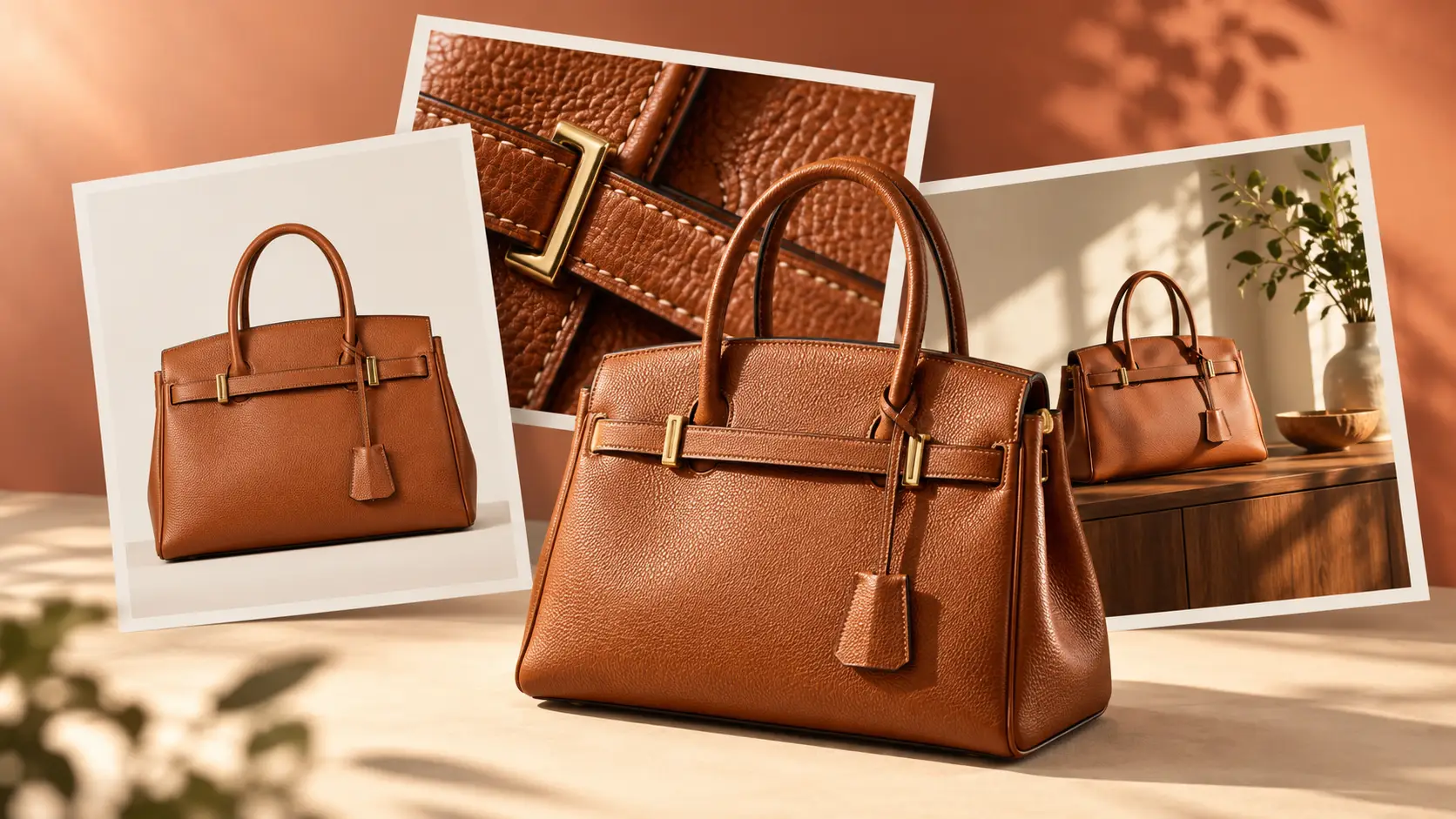
Find the best AI tools for ecommerce product photos in 2026. Remove messy backgrounds, improve image quality, and create listings shoppers can trust
One product can need several photos: a clean main image for Amazon, a close-up for your product page, a lifestyle shot for social media, and different sizes for ads. Creating every version by hand takes time, and keeping them consistent isn't always easy. But here's the thing: no single AI tool can handle every ecommerce photo task equally well.
Some tools remove messy backgrounds, while others erase unwanted objects, sharpen blurry photos, or create new scenes. The key is knowing which tool fits your needs. In this guide, we'll explore AI product photography tools that can save you time, keep your products looking true to life, and make your editing process easier. You don't need more apps. You need the right ones. Ready to make product photos easier? Let's find the right AI tools for your store, without unnecessary extra steps.
Summary
Not every product photo needs the same AI fix, and more tools don't always mean better results. This guide helps you choose the right tools, keep your products looking real, and create images shoppers can trust.
Find the right AI tools for backgrounds, unwanted objects, image quality, and lifestyle scenes.
Build a smarter product gallery with photos that answer real shopper questions.
Follow a simple workflow to save time without changing how your products really look.
What AI Can and Cannot Change in an Ecommerce Product Photo
AI can make product photos look cleaner, sharper, and more appealing. It can also help you create different versions of a real product photo without starting from scratch. But there's one rule worth following: make the photo better, not the product different.
Changing a messy background is fine. Changing a bag's real color, hiding a fabric flaw, or adding accessories that customers won't receive can create false expectations.
Here's where AI tools for product photos can help and what you should always double-check:
Task | AI can help with | Human check required |
|---|---|---|
Background removal | Remove the original background and isolate the product. | Check edges, shadows, and small details. |
Object removal | Erase distracting items around the product. | Make sure AI hasn't changed or invented product details. |
Upscaling | Make a low-resolution image larger. | Check textures, labels, text, and sharp edges. |
Lifestyle scene generation | Show a real product in a new setting. | Check its size, color, material, and included accessories. |
Product copy | Draft descriptions, captions, and image alt text. | Check every product detail and claim. |
Marketplace rules matter, too. Amazon requires a pure white background (RGB 255, 255, 255) for main product images. Secondary images give you more room to show product details and real-life settings, but they must still represent the product accurately. Always check Amazon's latest rules for your product category before publishing. The goal is simple: help shoppers see what they're getting, not just what looks good on screen.
Start With a Real Product Photo, Not Just a Prompt
Before you try any AI product photo generator , start with a real photo of the item you want to sell. In most cases, a clear original image gives better and more reliable results than a text prompt alone.
Your product should be easy to see. Use good lighting. Choose an angle that shows the true shape of the item. If the starting image looks unclear, dark, or misleading, the edited result can carry those problems forward.
A strong starting image also makes review easier. You can compare every edited version with the original and check whether the product still looks true to life.
Quick preparation checklist
Use the original product photo, not a compressed screenshot.
Make sure labels, stitching, transparent edges, and reflective surfaces are visible.
Photograph each variant separately when color or finish matters.
Keep one untouched original file.
Think of that untouched file as your source-of-truth product image. It is the reference photo you trust most. You use it to review every AI-edited version, whether you remove the background, resize the image, or place the product in a new scene.
This simple habit helps you stay accurate. It also helps you catch small mistakes before customers see them.
Best AI Tools for Clean, Marketplace-Ready Product Images
The best AI tools for ecommerce product photos solve specific problems: messy backgrounds, unwanted objects, or images that are too small. Start with the issue that affects your listing most. You need the ones that help you prepare a clear, accurate image for your sales channel. This is where some of the best AI tools for ecommerce become useful.
AI Background Removal: For Clean Product Isolation
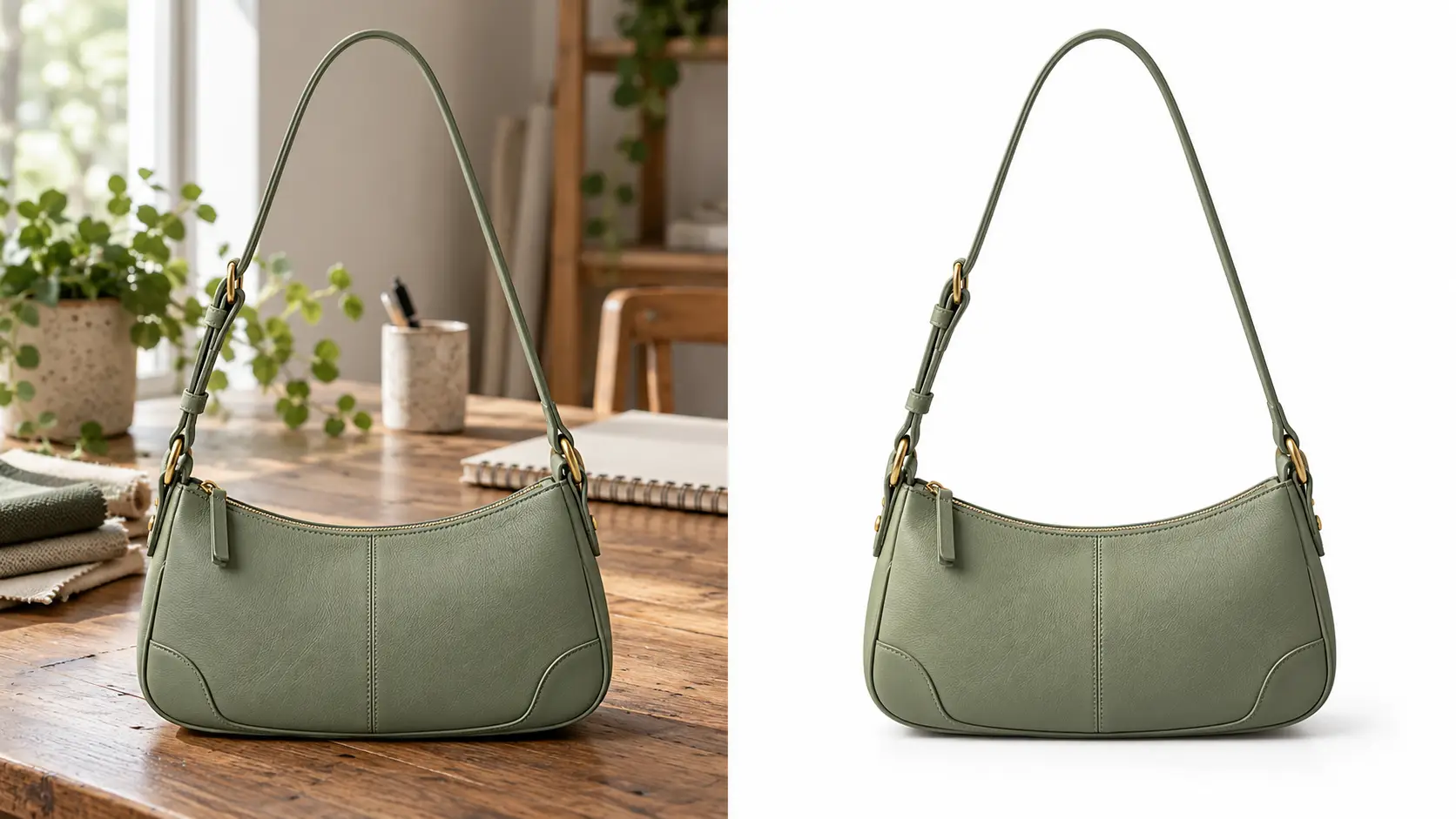
A product listing often works best when the item stands out clearly. An AI background remover for product photos helps you remove the original room, table, fabric, or other distracting background elements and turn the product into a clean cutout.
Betatum AI Background Removal is useful when you want to prepare a product for a marketplace listing, product page, or catalog image without spending time on manual tracing.
A simple workflow looks like this:
Upload the clearest product image you have.
Check delicate edges carefully, especially jewelry chains, glass, fur, straps, transparent packaging, and thin handles.
Add the final background required by the sales channel.
Export the image and review it at the size you need for the listing.
This process can save time, but it still needs review. Not every product will be isolated perfectly in one click, especially when the item has fine edges, reflective surfaces, or transparent parts.
AI Object Removal: For Distractions That Do Not Belong in the Listing
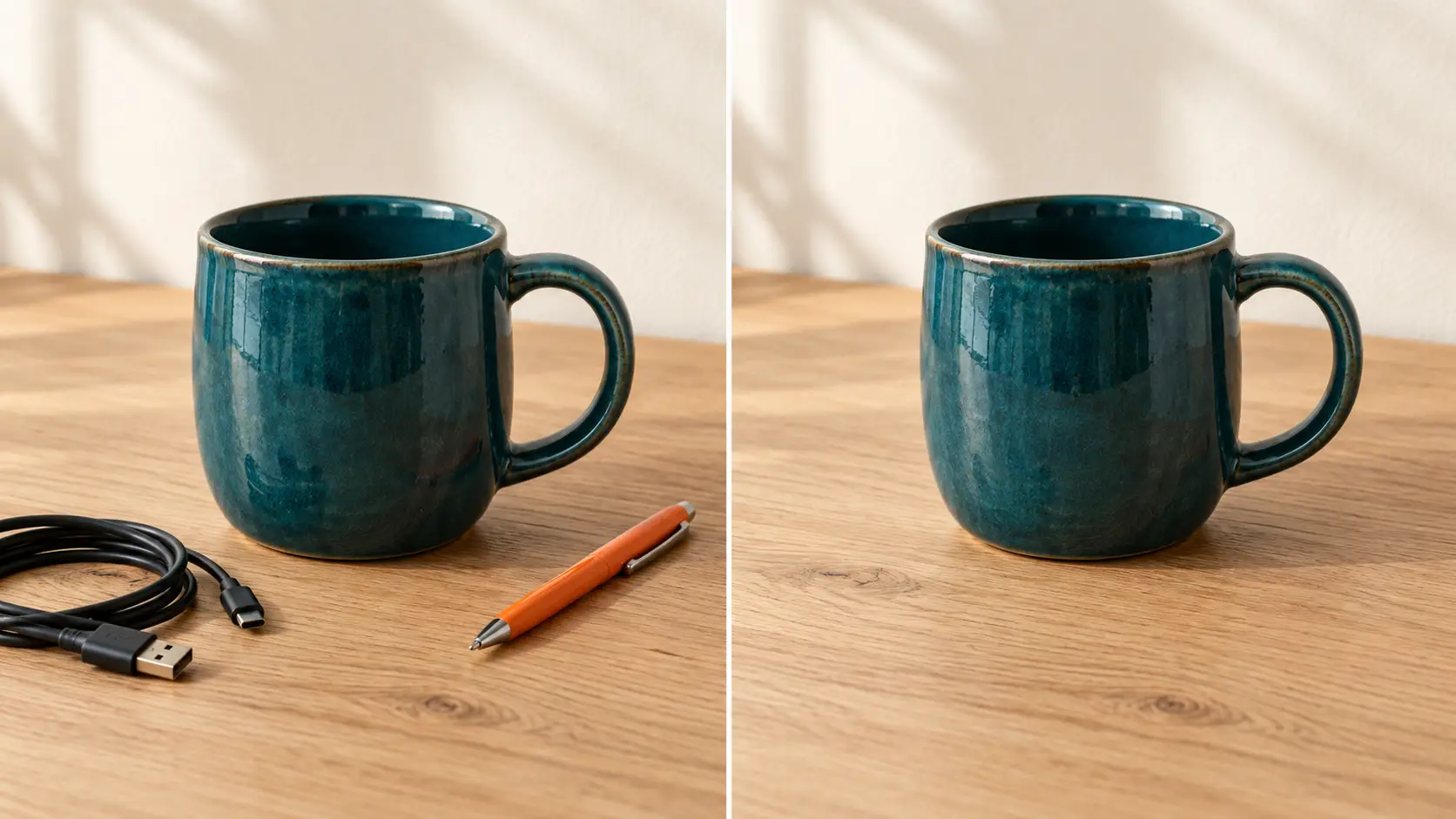
Sometimes the product is fine, but the photo includes something that should not be there. A stray prop, a stain in the background, a loose cable, or an object left in the frame can make the image look messy.
AI Object Removal helps remove these non-product distractions and create a cleaner listing image. It works best when the unwanted item sits around the product, not inside the product itself.
There is an important limit here: do not use object removal to hide a real product defect, erase a safety label, remove a required part, or delete an included item. The goal is to clean the image, not change what the customer will receive.
AI Image Upscaling: For Larger, More Usable Listing Images
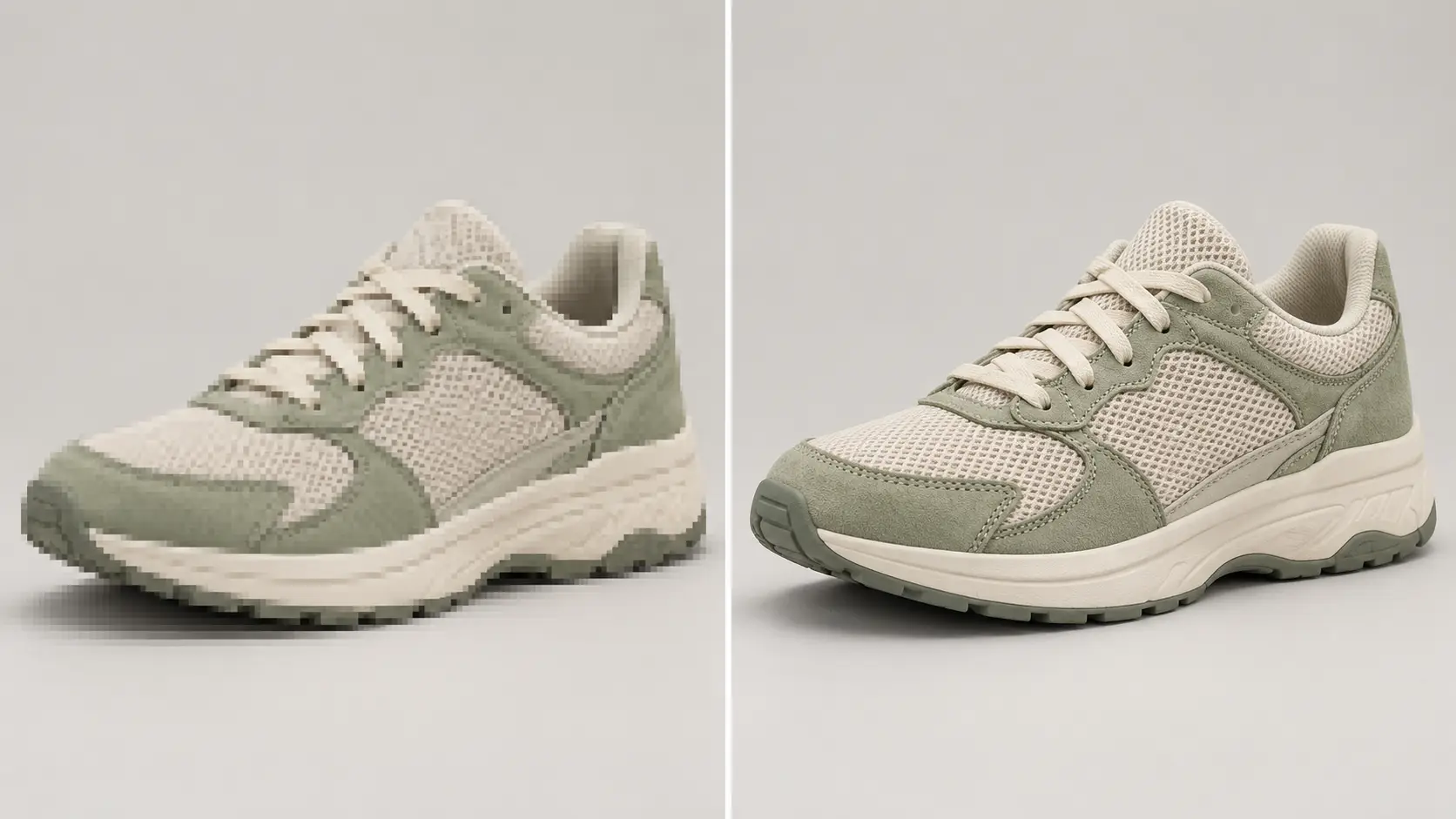
Sometimes you already have a product photo, but the file is too small for your product page, zoom feature, or marketplace upload. In that case, AI Photo Upscaler can help create a larger and more usable version.
This makes it a helpful ecommerce product photo editor when you want to improve image size without arranging a new photo shoot. It can also support teams that manage many SKUs and need faster updates for product pages.
Still, upscaling has a clear limit. It can improve the size and visual quality of a small image, but it cannot recover missing original detail with full certainty. After processing, always inspect logos, packaging text, printed patterns, and product edges.
That final review matters even more when you create images for large catalogs or use AI tools for Amazon product photos, where image quality and product accuracy both matter.
Best AI Tools for Product Photos That Explain, Not Just Attract
A beautiful product photo may catch someone's eye, but a helpful photo can answer the question that stops them from buying.
Instead of showing the same product from five similar angles, give each image a clear purpose. Etsy recommends using a clear, eye-catching main photo and supporting images that help shoppers understand the product's details, size, and use.
Here's how to plan your product gallery:
Image role | Shopper question it answers | Editing need |
|---|---|---|
Main product image | What exactly am I buying? | Clean background and accurate crop |
Detail image | What does the material, texture, or finish look like? | Light cleanup and clear details |
Scale image | How big is it in real life? | Familiar objects or context that show true size |
In-use image | How do I wear or use it? | Realistic lifestyle context |
Variant image | Which color, size, or version am I choosing? | Accurate colors and clear variant labels |
You don't need every image type for every product. A simple necklace may only need a main photo, a close-up, and a scale shot. A jacket may need additional images to show its fit and available colors.
One more thing: Etsy warns that heavy filters and photo edits can change how a product looks and leave buyers disappointed. Its current rules also require at least one unedited photo of the real item for most listings, with some exceptions.
The best product gallery isn't the one with the most photos. It's the one that leaves shoppers with fewer questions.
AI Lifestyle Product Images: Use Context Without Changing the Product
Lifestyle images work best after the shopper has already seen the product clearly. First, show what the item is. Then, use context to help people imagine how it looks, feels, or fits into real life.
A good lifestyle image can answer helpful questions. How large does the item feel in a room? How might it look on a desk, a shelf, or a person? What mood or setting fits the brand? The goal is not to replace the product image. The goal is to support it.
AI Generative Fill: For Extending or Building a Suitable Scene

AI Generative Fill helps you add or change selected elements around a real product. You can create a more suitable setting while keeping the product itself unchanged.
For example, you might:
extend a tabletop around a candle
create a soft room context for a home accessory
add open space around a product for a campaign crop
This kind of edit can make AI ecommerce product images more flexible across product pages, banners, and marketing layouts. It can also help when you need cleaner composition without planning a full new shoot.
Still, keep the goal realistic. Generative fill can build visual context, but it should not be treated as a fully accurate room redesign tool or a way to recreate an identical physical scene. Use it to support the product, not to invent a different reality around it.
When Not to Use a Generated Lifestyle Scene
A generated lifestyle scene is not always the right choice. Skip it when:
the image could misrepresent the size or real use of the product
required accessories, ingredients, or included parts could become unclear
the marketplace requires an unedited main product image
the product includes safety, medical, food, or other regulated claims that the scene could imply in the wrong way
Used carefully, lifestyle context can help shoppers imagine the product in real life. But the product itself should always stay clear, accurate, and easy to trust.
Which AI Tool Is Best for Your Product-Photo Problem?
The best AI tool depends on what you need to fix. Use this quick guide to find the right match for your product photo.
Your goal | Best AI tool category | Recommended Betatum tool | Important check |
|---|---|---|---|
Remove a busy background | Background remover | AI Background Removal | Check fine edges and natural shadows. |
Remove a distracting object | Object-removal tool | AI Object Removal | Never hide real product defects. |
Make a small image larger | Photo upscaler | AI Photo Upscaler | Inspect text, textures, and labels. |
Repair a damaged photo | Photo-restoration tool | AI Photo Restoration | Compare the result with the original product details. |
Create or extend a scene | Generative-fill tool | AI Generative Fill | Keep the product's appearance accurate. |
You can use more than one tool for a product photo, but give each one a clear job instead of running every image through every AI feature.
A Lean AI Workflow for One Product, From Raw Photo to Listing
You don't need a complicated editing process to create great product listings. Start with one good photo, make the changes that matter, and skip the ones that don't. Here's a simple six-step workflow you can follow.
Save your original photo. Keep an untouched copy of the real product image. You'll use it to check every edit later.
Prepare the main listing image. Clean up the background, crop the photo to show the product clearly, and follow your marketplace's image rules.
Create only the supporting images you need. Add close-ups for details, scale photos for size, in-use images for context, or separate photos for product variants.
Use AI where it makes a difference. Remove distractions or improve image size when needed, but keep the product's real color, shape, and features unchanged.
Write content using verified product details. Draft your product description, captions, and image alt text using accurate specifications. Check every claim before publishing.
Check everything on desktop and mobile. Make sure images look sharp, text stays readable, and shoppers can easily see what they're buying.
Remember, more photos don't always mean a better listing. A simple accessory may only need a main image, a detail shot, and a scale photo. A complex appliance may need several views to explain its parts and functions.
The goal isn't to create as many images as possible. It's to give shoppers the right information with the least unnecessary work.
Common AI Product-Photo Mistakes That Hurt Trust
Avoid AI edits that make shoppers expect a different product from the one they'll receive. Here are six common mistakes that can hurt customer trust. Here are six mistakes worth avoiding:
Showing only lifestyle photos. A candle may look lovely on a styled table, but shoppers still need a clear view of the candle itself. Give them both.
Changing how the product really looks. A filter might make a beige bag look white or smooth out a rough fabric. Keep colors, textures, and proportions true to life.
Making packaging text look sharper than it really is. AI upscaling may change tiny letters or numbers. If the text looks wrong, use a clearer original photo instead.
Removing details that matter. Cleaning up a messy background is helpful. Erasing a visible seam, button, or product feature isn't. Know the difference.
Giving every product the same editing style. A luxury watch, a handmade ceramic mug, and a children's toy don't need identical lighting or overly polished finishes. Let each product keep its natural character.
Creating too many versions without checking marketplace rules. Before uploading edited images to Amazon, Etsy, or another platform, check which image types and edits the platform allows.
Great product photos should do more than look good. They should help customers know what to expect, so the product that arrives feels just as right as the one they saw online
Conclusion
The best AI tool isn't the one with the most features. It's the one that solves your biggest product-photo problem while keeping your product true to life. Start with what slows you down most, whether it's messy backgrounds, low-quality images, or writing product content. Then see if AI helps you save time without losing accuracy.
You don't need to change everything at once. One small improvement can make your workflow easier. Ready to start? Try Betatum's AI Background Removal to turn a clear product photo into a clean starting point for your listing.