
AI Makeup vs Beauty Filters: Which One Looks More Natural?
By Maria · 2026-07-13
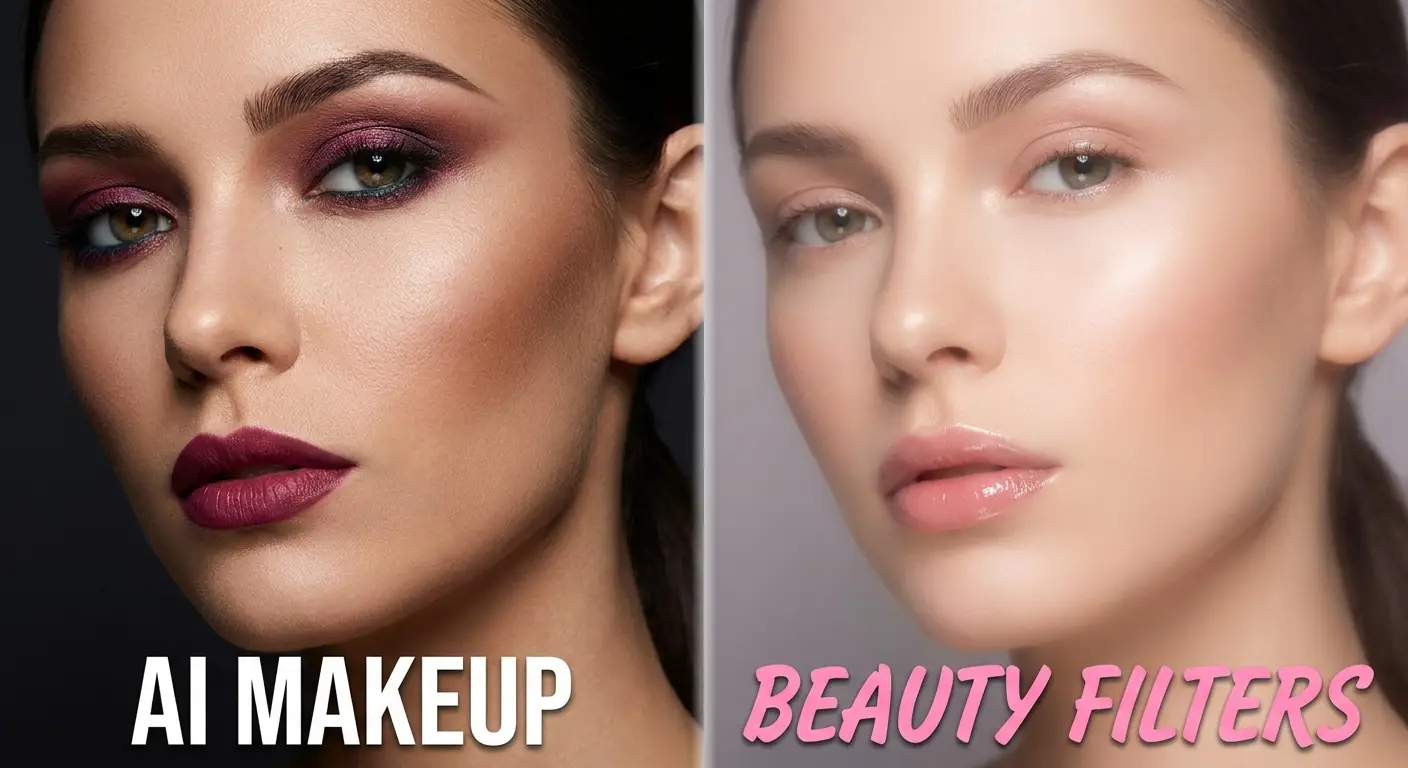
Some photo edits look flawless, while others instantly reveal they've been filtered. In this guide, we'll compare AI makeup and beauty filters, explain how they work, and help you choose the option that creates the most natural-looking results for every type of photo.
Natural-looking photo editing has become more important than ever as AI-powered tools make it easier to enhance images without creating an overly edited appearance. Whether you're posting on social media, creating professional content, or simply preserving memories, realistic results matter.
Two of the most popular options today are AI makeup and traditional beauty filters, but they work in very different ways. In this comparison, we'll explore how each technology enhances photos, where they perform best, and which option delivers the most natural-looking results for different situations. If you'd like to understand how AI-powered makeup editing works before diving into the comparison, check out our AI Makeup Guide to learn everything you need to get started.
Summery
Choosing between AI makeup and beauty filters isn't always easy, especially when both promise to enhance your photos. While they may seem similar, they use different technologies and produce very different results.
In this guide, you'll discover how AI makeup and beauty filters work, compare their strengths and limitations, and learn which option creates the most natural-looking edits.
We'll also explore the key factors that affect photo realism, share practical tips for achieving better results, and help you decide which tool is the right fit for everything from quick selfies to professional-quality portraits.
How AI Makeup Actually Works
AI makeup technology uses advanced facial recognition to analyze important features such as your eyes, lips, eyebrows, skin tone, and face shape. Instead of placing a simple overlay on your photo, it identifies where makeup would naturally be applied and adjusts it to match your unique facial structure.
The AI can then add realistic effects like lipstick, foundation, blush, eyeliner, or eyeshadow while considering lighting, skin texture, and facial contours. This creates a much more lifelike result than traditional editing methods, which often rely on fixed filters or manual adjustments. Because AI adapts the makeup to each individual face, the final image looks more natural, personalized, and closer to real makeup applied by a professional.
How Beauty Filters Enhance Your Selfies
Beauty filters use facial detection technology to locate key features such as your eyes, nose, lips, and jawline before applying a set of pre-designed enhancements. Unlike AI-powered tools that adapt to your unique facial structure, most filters rely on fixed presets that smooth skin, brighten the complexion, enlarge the eyes, or slim the face in the same way for every user.
This is one of the biggest differences in the AI makeup vs face filters comparison. While beauty filters are fast and convenient for casual selfies, they often struggle to produce truly personalized results and can leave photos looking overly edited or artificial, especially when used at higher intensity.
AI Makeup vs Beauty Filters: What's the Real Difference?
Understanding the difference between AI makeup and beauty filters is the key to choosing the right editing tool for your needs. Before deciding AI makeup or beauty filter, it's helpful to see how each technology works behind the scenes and why their results look so different.
How Each Technology Processes Your Face
AI makeup tools analyze your unique facial features, skin tone, facial contours, and lighting before applying makeup effects that fit your face naturally. In contrast, beauty filters typically detect basic facial landmarks and apply pre-built enhancements, such as skin smoothing or face reshaping, using the same preset across different users.
The Difference in Customization and Control
AI makeup gives you greater control by allowing you to adjust individual elements like lipstick color, blush intensity, eyeliner style, foundation, and eyeshadow. Beauty filters usually offer limited customization because they apply several enhancements together, making it harder to fine-tune the final look to match your preferences.
Why the Final Results Don't Look the Same
Because AI makeup adapts every effect to your individual facial features, the finished image often appears more realistic and closely resembles professionally applied makeup. Beauty filters, on the other hand, prioritize speed and convenience, which can sometimes create an overly polished or artificial appearance, especially when stronger filter settings are used.
Which One Creates the Most Natural Look?
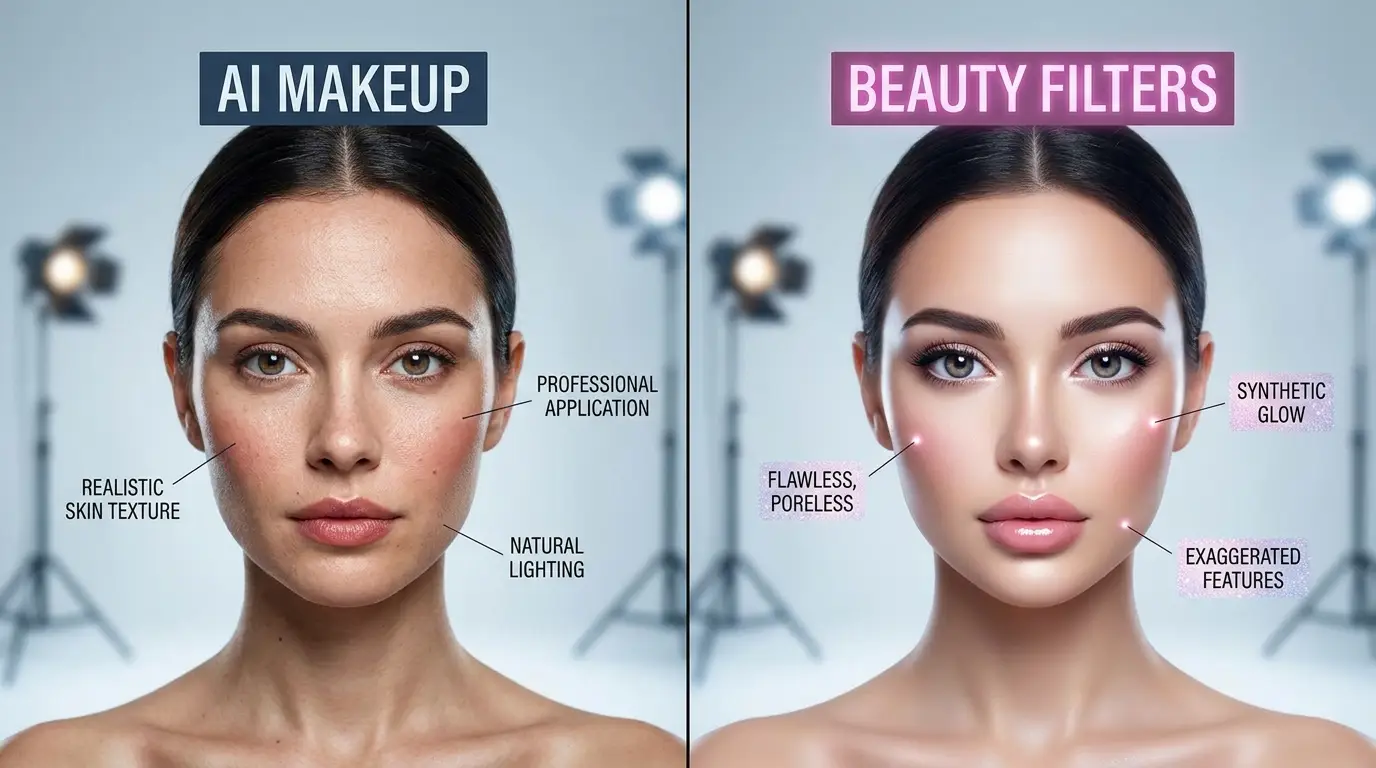
When deciding which looks more natural AI makeup or beauty filters, the answer depends on how realistically each tool enhances your features without making the edit obvious. This AI makeup comparison highlights the areas that have the biggest impact on creating authentic, lifelike results.
Feature | AI Makeup | Beauty Filters |
|---|---|---|
Skin Texture Preservation | Preserves natural skin texture while subtly enhancing the complexion, making the skin look healthy instead of overly smooth. | Often applies aggressive skin smoothing that can remove pores and fine details, resulting in a plastic-like appearance. |
Lip and Eye Realism | Applies lipstick, eyeliner, mascara, and eyeshadow according to your facial shape for a realistic makeup effect. | Usually boosts lip color and enlarges the eyes with preset effects that may not match every face naturally. |
Facial Feature Accuracy | Detects facial contours and places makeup precisely where it would be applied in real life. | Uses standard facial mapping that may slightly misalign effects or reshape features unnaturally. |
Lighting Consistency | Adjusts makeup based on the lighting and shadows already present in the photo, creating a seamless finish. | Applies the same filter regardless of lighting conditions, which can make edits look less convincing. |
Before-and-After Realism | Produces subtle, believable enhancements that closely resemble professionally applied makeup. | Delivers quick improvements but often makes it easier to tell that a filter has been used, especially at higher intensity levels. |
When AI Makeup Is the Better Choice
If you're comparing AI virtual makeup vs beauty filters, AI makeup stands out whenever realism and personalization are the top priorities. Choosing AI makeup or beauty filter depends on your goal, but AI is often the better option for creating edits that look authentic rather than heavily filtered.
Virtual makeup try-ons: AI makeup lets you preview different lipstick shades, eyeshadow styles, blush, and foundation on your own face before making a purchase. This provides a realistic representation of how products may look in real life.
Professional portraits: Whether you're updating a LinkedIn profile, business headshot, or personal branding photo, AI makeup creates subtle enhancements that maintain a polished yet natural appearance without making the image look over-edited.
Beauty product testing: Brands, influencers, and content creators can quickly test multiple makeup combinations without physically applying products, making it easier to compare colors, finishes, and styles.
Personalized makeup looks: AI analyzes your facial features and skin tone to create customized makeup styles that complement your unique appearance instead of applying the same preset to every face.
If you're thinking about changing your hairstyle, our AI Hairstyle tool lets you see how different haircuts and hair colors could look on you before making a real-life change.
When Beauty Filters Work Better
Although Beauty filters vs virtual makeup is a common comparison, traditional beauty filters still have their place for quick and effortless photo enhancements. They are ideal when speed and simplicity matter more than detailed customization.
Quick social media selfies: Instantly enhance your selfies with smoother skin and brighter features before sharing on social media.
Video calls: Add subtle touch-ups during virtual meetings to look refreshed without spending time on manual editing.
Casual photo enhancement: Improve everyday photos with a single tap, making them look cleaner and more polished in seconds.
Instant one-tap edits: Beauty filters are designed for convenience, applying multiple enhancements automatically without requiring any adjustments or editing skills.
Why Some AI Edits Look More Natural Than Others
Even with advanced AI technology, not every edited photo looks equally realistic. The final result depends on several factors that influence how accurately the AI can analyze your face and apply virtual makeup.
Original photo quality: High-resolution, sharp images give AI more facial detail to work with, leading to cleaner and more realistic makeup application.
Lighting conditions: Good, even lighting helps AI detect your skin tone, facial contours, and natural shadows more accurately. Poor lighting can make edits appear uneven or less convincing.
Facial angle: Front-facing or slightly angled photos allow AI to recognize facial features more precisely. Extreme angles or partially hidden faces may reduce the accuracy of the makeup placement.
AI model quality: Not all AI tools use the same technology. More advanced AI models produce better facial detection, smarter color matching, and more natural-looking makeup effects.
Editing intensity: Applying makeup effects with a light or moderate touch usually creates the most believable results. Overusing enhancements can make even the best AI edits look artificial instead of natural.
Simple Ways to Make AI Makeup Look More Natural
Creating realistic AI makeup isn't just about choosing the right tool—it's also about making thoughtful editing decisions. These simple tips can help you achieve a polished look while keeping your photos natural and authentic.
Start with a High-Quality Selfie
Use a clear, high-resolution photo with good lighting and minimal blur. The more detail the AI can detect, the more accurately it can apply makeup to your facial features.
Avoid Excessive Makeup Intensity
Less is often more. Instead of using the highest settings, apply makeup gradually to enhance your appearance without making the edits obvious or unrealistic.
Match Makeup to Your Skin Tone
Choose lipstick, foundation, blush, and eyeshadow shades that complement your natural complexion. Colors that suit your skin tone create a more balanced and believable finish.
Preserve Natural Skin Texture
Avoid over-smoothing your skin. Keeping subtle details like pores and natural texture helps your edited photo look more like real makeup instead of a heavy filter.
Fine-Tune Individual Features
Adjust each makeup element separately rather than relying on one-click presets. Small refinements to your lips, eyes, eyebrows, and blush can make the overall look feel much more personalized and natural.
Conclusion
When comparing AI Makeup vs Beauty Filters, the biggest difference comes down to realism, customization, and purpose. AI makeup uses advanced facial analysis to apply personalized cosmetic effects that closely resemble real makeup, while beauty filters rely on preset enhancements to deliver quick and convenient results. Both options can improve your photos, but they are designed for different needs.
The best choice ultimately depends on your goal. If you want to experiment with makeup styles, create professional-looking portraits, or achieve highly realistic edits, AI makeup is the better option. On the other hand, if you're taking a quick selfie, joining a video call, or making a fast edit for social media, beauty filters offer a simple one-tap solution. By understanding the strengths of each approach, you can choose the right tool for every photo and achieve results that match your personal style.